
Unlocking Performance: Cloud Hosting Benefits for WordPress
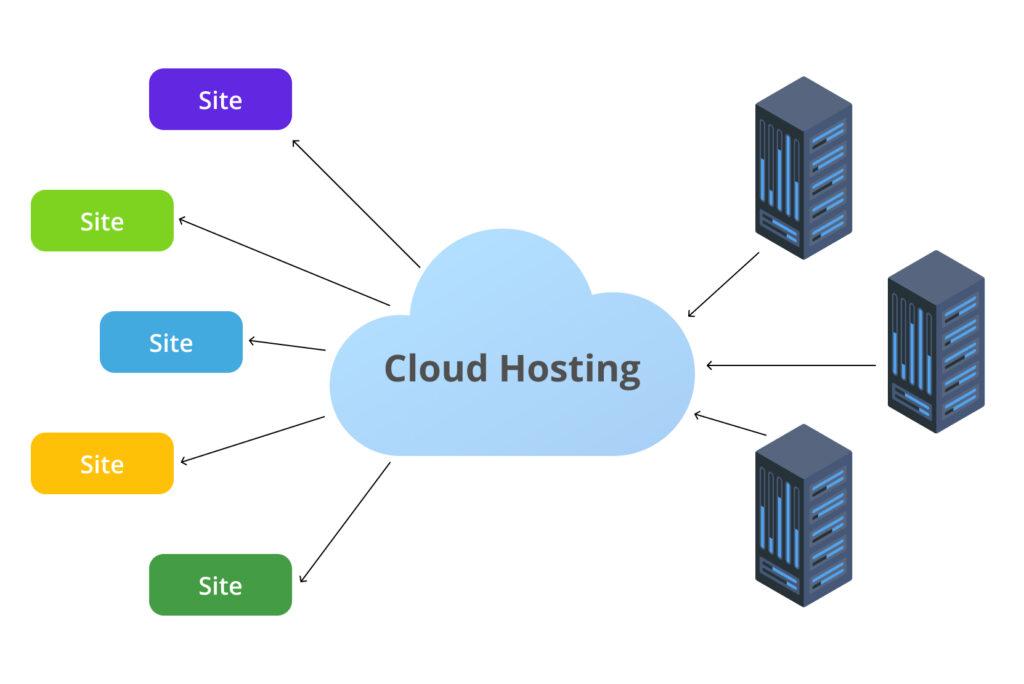
In today’s fast-paced digital landscape, where speed and efficiency are paramount, the choice of hosting can make or break a website’s success. For WordPress users, selecting the right hosting solution is particularly crucial, given the platform’s popularity among bloggers, businesses, and e-commerce sites alike. Enter cloud hosting—a game-changing technology that offers unparalleled flexibility, scalability, and performance. In this article, we will delve into the myriad benefits of cloud hosting specifically tailored for WordPress, exploring how it can enhance your site’s performance, improve uptime, and provide a seamless user experience. Whether you’re a seasoned developer or a business owner just starting, understanding the potential of cloud hosting will empower you to unlock the full capabilities of your WordPress site. Let’s explore how this innovative hosting solution can elevate your online presence to new heights.
Table of Contents
- Enhancing Speed and Reliability with Managed Cloud Hosting
- Scalability Solutions: Adapting Resources to Demand
- Robust Security Features for WordPress in the Cloud
- Cost Efficiency: Budget-Friendly Options for Businesses
- Key Takeaways
Enhancing Speed and Reliability with Managed Cloud Hosting
Managed cloud hosting offers an exceptional combination of speed and reliability, crucial for delivering an outstanding user experience on your WordPress site. By utilizing cutting-edge infrastructure, managed cloud hosting providers ensure that your website can handle high traffic volumes without slowing down. This is achieved through features like:
- Auto-Scaling: Automatically adjusts resources based on demand.
- Content Delivery Networks (CDNs): Distributes content across various servers globally for quicker access.
- Optimized Load Balancing: Efficiently distributes client requests to prevent server overloads.
Moreover, the reliability inherent in managed cloud hosting minimizes downtime and enhances performance, making it a wise choice for WordPress users. When issues arise, 24/7 expert support is readily available to resolve potential problems swiftly. This is particularly beneficial for businesses that rely on WordPress for e-commerce or high-stakes content delivery. A comparison of typical performance metrics demonstrates the advantages of switching to managed cloud hosting:
| Performance Metric | Traditional Hosting | Managed Cloud Hosting |
|---|---|---|
| Average Load Time | 2.5 seconds | 0.9 seconds |
| Uptime Guarantee | 99.5% | 99.9% |
| Support Response Time | Up to 48 hours | 15 minutes |
Scalability Solutions: Adapting Resources to Demand
One of the standout features of cloud hosting is its ability to effortlessly scale resources according to demand. This is especially crucial for WordPress sites that experience fluctuating traffic patterns, such as e-commerce platforms during holiday sales or blogs that go viral unexpectedly. With cloud hosting, you can quickly adjust your server capacity without needing to undergo complex migrations or hardware upgrades. This flexibility ensures that your site maintains optimal performance, catering to visitors without the dreaded lag time that can drive users away.
In addition to vertical scaling, cloud hosting solutions typically offer various configurations that cater to different usage scenarios. This enables you to customize your resource allocation, including:
- Auto-scaling: Automatically adjusts resources based on real-time traffic.
- Load Balancing: Distributes incoming requests across multiple servers for reliability.
- Resource Pooling: Shares processing power and storage among multiple virtual servers.
By having these options at your fingertips, WordPress administrators can effectively manage costs while ensuring a seamless user experience regardless of server load. This adaptable approach not only simplifies the management of your site but also enhances its resilience and scalability in an ever-changing digital landscape.
Robust Security Features for WordPress in the Cloud
In today’s digital landscape, safeguarding your WordPress site is paramount, especially when hosting in the cloud. Cloud hosting solutions come equipped with a variety of advanced security features that protect sensitive data and provide a safe browsing environment for users. Key features include:
- Multi-layered Firewall Protection: This acts as a barrier between your website and potential threats, filtering out harmful traffic.
- Regular Software Updates: Automated updates ensure your WordPress core, themes, and plugins are always up to date, reducing vulnerabilities.
- Data Encryption: Utilizing SSL certificates secures data transfer between your server and visitors, protecting against interception.
- Real-time Malware Scanning: Continuous monitoring helps detect and eliminate malware before it can cause harm.
Moreover, cloud hosting environments employ automated backup solutions and DDoS protection to ensure downtime is minimized, keeping your site accessible at all times. A simple overview of these enhancements can demonstrate the difference in security performance when switching to cloud hosting:
| Feature | Traditional Hosting | Cloud Hosting |
|---|---|---|
| Multi-layered Firewall | No | Yes |
| Automated Backups | Limited | Comprehensive |
| DDoS Protection | Minimal | Robust |
| Real-time Monitoring | No | Yes |
Cost Efficiency: Budget-Friendly Options for Businesses
When it comes to maximizing resources without skimping on quality, cloud hosting presents a variety of cost-efficient solutions for businesses operating WordPress. By leveraging the pay-as-you-go model, companies can allocate their funds more effectively, only paying for the services they need when they need them. This flexibility allows for scalability—as your business grows, your hosting can expand without the necessity of costly hardware upgrades.
Consider these budget-friendly features that cloud hosting typically offers:
- No licensing fees: Many cloud hosting providers include licenses for essential software, eliminating additional costs.
- Reduced maintenance expenses: The provider manages hardware and software updates, reducing the burden on in-house IT.
- Remote access: Employees can work from anywhere, minimizing overhead costs associated with physical office space.
| Feature | Traditional Hosting | Cloud Hosting |
|---|---|---|
| Cost Structure | Fixed monthly fees | Pay-as-you-go |
| Scalability | Limited | Elastic resources |
| Maintenance | In-house responsibility | Provider-managed |
Key Takeaways
embracing cloud hosting for your WordPress site can be a game changer in unlocking not just performance, but also scalability and security. As we’ve explored, the agility of cloud technology allows for seamless resource management, rapid load times, and enhanced uptime—key factors that contribute to an optimal user experience. Whether you’re a burgeoning blogger or a well-established business, transitioning to a cloud hosting solution can help you meet the dynamic demands of your audience and improve overall site efficiency.
As you weigh your options, consider the long-term benefits that come from investing in a robust cloud hosting platform. The right choice can empower your online presence, enabling you to focus on what matters most: creating outstanding content and engaging with your audience.
We hope this guide has provided you with valuable insights into the advantages of cloud hosting for your WordPress site. If you have any questions or need guidance on choosing the right hosting provider, feel free to reach out. Here’s to a faster, more secure, and ultimately more successful WordPress journey!