
Step-by-Step Guide to Setting Up Your Cloud Hosting Account
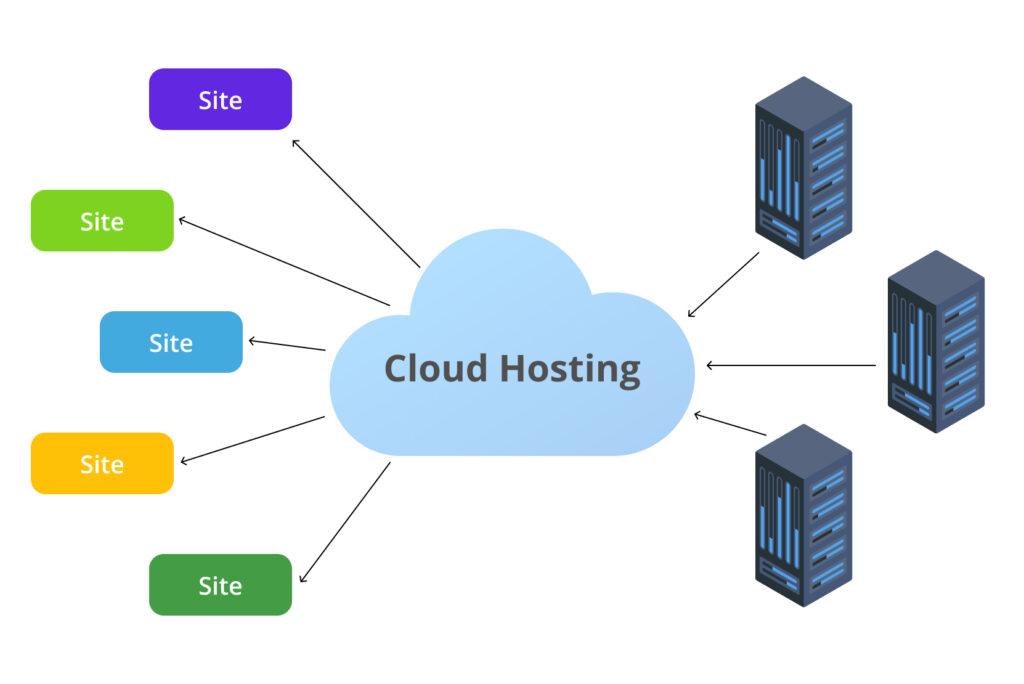
In today’s digital landscape, cloud hosting has emerged as a game-changer for both individuals and businesses alike, offering unparalleled flexibility, scalability, and security. Whether you’re starting a personal blog, launching a new business website, or developing an e-commerce platform, understanding how to set up your cloud hosting account is a crucial step in your journey. With numerous providers and a myriad of options available, the initial setup can often feel overwhelming. That’s where we come in. In this comprehensive guide, we’ll walk you through the step-by-step process of setting up your cloud hosting account, ensuring you have a solid foundation for your online presence. From selecting the right service provider to configuring your account settings, we’ll cover it all, empowering you to harness the full potential of cloud hosting with confidence and ease. Let’s get started!
Table of Contents
- Choosing the Right Cloud Hosting Provider for Your Needs
- Understanding the Different Types of Cloud Hosting Services
- Configuring Your Cloud Hosting Account for Optimal Performance
- Essential Security Measures to Implement During Setup
- The Way Forward
Choosing the Right Cloud Hosting Provider for Your Needs
When selecting a cloud hosting provider, it’s essential to consider several key factors that align with your specific needs and goals. Start by assessing what type of resources your projects require: bandwidth, storage, and computing power. Determine if you need dedicated resources or if a shared solution suffices. Evaluate the provider’s scalability options, ensuring that you can adjust your resources as your business evolves. Additionally, check their reliability and uptime guarantees, as these are critical for maintaining the availability of your website or application.
Security should also be at the forefront of your decision-making process. Look for providers that offer robust encryption, firewalls, and regular security updates. A good cloud hosting provider will also have a transparent support policy, preferably with 24/7 availability. Consider the following checklist as you weigh your options:
- Reputation and Reviews: Research customer feedback and industry comparisons.
- Service Level Agreements (SLAs): Read through their commitments to service uptime.
- Backup Solutions: Ensure they offer automated backups and recovery options.
- Cost Structure: Understand their pricing model and any additional fees.
- Compliance: Verify if they adhere to necessary industry regulations.
Understanding the Different Types of Cloud Hosting Services
Cloud hosting services can be broadly categorized into several types, each tailored to meet different needs and use cases. Understanding these options is essential for selecting the right service for your business. Among the most common types are:
- Public Cloud Hosting: This service is hosted on the infrastructure of a third-party provider and is available to multiple clients. It’s cost-effective and ideal for small to medium-sized businesses looking to save on resources.
- Private Cloud Hosting: Dedicated to a single organization, this type offers greater security and control, making it suitable for businesses handling sensitive data.
- Hybrid Cloud Hosting: Combining both public and private clouds, this option allows businesses to balance between high security and scalability for different workloads, offering flexibility in resource management.
- Multi-Cloud Hosting: This strategy involves using multiple cloud services from various providers to prevent vendor lock-in and enhance redundancy.
When considering your cloud hosting options, it is important to evaluate the features and benefits each service type provides. Here is a quick comparison table to assist you in this decision-making process:
| Type | Ideal for | Cost | Security Level |
|---|---|---|---|
| Public Cloud | Small Businesses | Low | Standard |
| Private Cloud | Large Enterprises | High | High |
| Hybrid Cloud | Businesses Needing Flexibility | Variable | Balanced |
| Multi-Cloud | Risk-Averse Companies | Variable | High |
By understanding these different types of cloud hosting services, you can better assess your organization’s requirements and select the most appropriate solution for your needs. Each type offers unique advantages that cater to varying business models, allowing you to optimize performance while ensuring adequate security and cost-effectiveness.
Configuring Your Cloud Hosting Account for Optimal Performance
Configuring your cloud hosting account effectively can significantly enhance your website’s performance. Start by choosing the right server location to minimize latency, ensuring that your content loads quickly for users across the globe. Consider the following options to optimize your account:
- Use a Content Delivery Network (CDN): Distributing your content across multiple servers can reduce load times.
- Enable Caching: This speeds up the delivery of your web pages by storing copies of files.
- Regularly Update Software: Keeping your applications and plugins up-to-date helps improve security and performance.
Another critical aspect is to monitor resource usage regularly. Use tools provided by your hosting service to gauge CPU and RAM consumption, allowing you to scale your server resources when needed. Below is a summary of essential metrics to track:
| Metric | Importance |
|---|---|
| CPU Usage | Indicates the processing power required by your applications. |
| RAM Usage | Reflects how much memory your site consumes, affecting load times. |
| Disk Space | Ensures you have enough capacity for growth and backups. |
Essential Security Measures to Implement During Setup
When setting up your cloud hosting account, prioritizing security is paramount to safeguard your data and application integrity. Start by creating strong, unique passwords for both your hosting and administrative accounts. Consider implementing a password manager to generate and store complex passwords securely. Additionally, enable two-factor authentication (2FA) wherever possible. This extra layer of security ensures that even if someone gains access to your password, they cannot access your account without a secondary verification step.
Regularly updating your software and plugins is another critical step in maintaining security. Outdated software can be a significant vulnerability, providing entry points for cybercriminals. Keep an eye on release notes from your hosting provider and apply updates as soon as they’re available. Furthermore, establish a firewall to filter out malicious traffic, and consider utilizing SSL certificates for all your websites to encrypt data in transit. Below is a simple overview of essential security measures to adopt during setup:
| Security Measure | Description |
|---|---|
| Strong Passwords | Create unique and complex passwords for all accounts. |
| Two-Factor Authentication | Add an extra verification step to secure your accounts. |
| Software Updates | Regularly update software and plugins to patch vulnerabilities. |
| Firewall Implementation | Filter out unwanted and malicious traffic from your network. |
| SSL Certificates | Encrypt data to protect sensitive information during transmission. |
The Way Forward
setting up your cloud hosting account doesn’t have to be a daunting task. By following this step-by-step guide, you can streamline the process and ensure your website is up and running smoothly in no time. Remember to choose the right provider that meets your specific needs, take the time to explore the features of your hosting platform, and implement best practices for security and performance.
As you embark on your cloud hosting journey, stay informed about the latest trends and tools in the industry to make the most of your infrastructure. Whether you’re managing a personal blog or a business website, a sound cloud hosting setup will pave the way for scalability, flexibility, and reliability.
Thank you for reading! We hope this guide empowered you to take control of your online presence. If you have any questions or would like to share your own tips and experiences with cloud hosting, feel free to leave a comment below. Happy hosting!