
Mastering Cloud Hosting: A Guide to Troubleshooting Issues
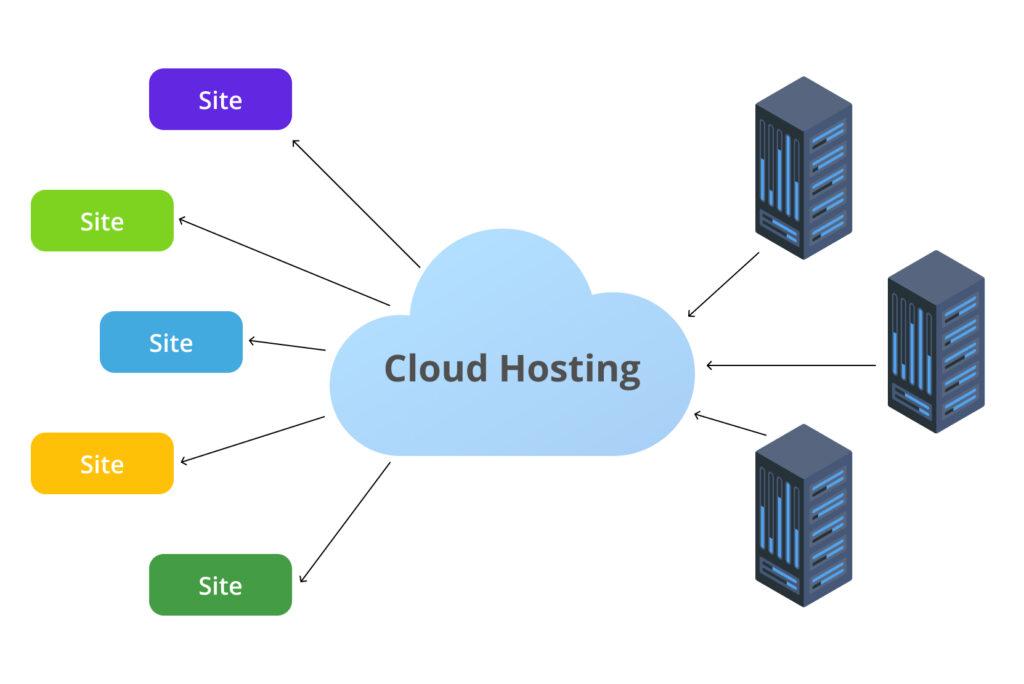
In today’s digital landscape, cloud hosting has become an essential backbone for businesses of all sizes, offering unparalleled scalability, flexibility, and reliability. However, as powerful as cloud hosting can be, it is not immune to occasional hiccups that can disrupt your operations and affect user experience. Whether you’re a seasoned IT professional or a small business owner navigating the cloud for the first time, understanding how to troubleshoot common issues is vital for maintaining performance and ensuring seamless service delivery. In this comprehensive guide, we’ll delve into the most prevalent challenges faced in cloud hosting environments and provide you with actionable solutions to tackle them effectively. From identifying the root causes of downtime to optimizing your cloud configuration, this article will equip you with the necessary tools to master cloud hosting and keep your systems running smoothly. Let’s unlock the potential of your cloud infrastructure by turning obstacles into opportunities for improvement!
Table of Contents
- Understanding Common Cloud Hosting Issues and Their Causes
- Step-by-Step Troubleshooting Techniques for Cloud Hosting Problems
- Optimizing Performance: Tips for Preventing Future Issues
- Effective Communication with Cloud Service Providers for Problem Resolution
- Final Thoughts
Understanding Common Cloud Hosting Issues and Their Causes
Cloud hosting can provide unmatched scalability and flexibility, but it is not without its challenges. One of the most common issues users face is downtime. Downtime can arise from a variety of factors, including hardware failures, network issues, or even software bugs. Understanding the underlying causes of downtime is critical for maintaining service availability. Regular updates and rigorous monitoring can mitigate these risks. Other frequent issues users encounter include performance degradation, which often results from resource over-utilization or misconfigured settings. Inadequate resource allocation can lead to slower response times, impacting user experience and productivity.
Another prevalent concern in cloud hosting is security vulnerabilities. With the increasing number of cyber threats, ensuring the integrity and confidentiality of data housed in the cloud is paramount. Common causes include lapses in security protocols, weak password practices, or unpatched software vulnerabilities. Implementing strong access controls and maintaining up-to-date security patches can help counter these threats. Additionally, cost overruns may occur if usage patterns are not properly monitored or if cloud services are not optimized. Regularly reviewing service usage and scaling accordingly can help manage costs effectively, ensuring that your cloud environment remains both efficient and budget-friendly.
Step-by-Step Troubleshooting Techniques for Cloud Hosting Problems
When you encounter issues in cloud hosting, a structured approach can make all the difference. Start by identifying the problem. This means gathering information about what is not working. Issues may vary from slow load times to complete service outages. Use the following techniques to assess the situation:
- Check Service Status: Visit your cloud provider’s status page for any reported outages.
- Review Logs: Analyze server logs to pinpoint errors and anomalies.
- Perform a Ping Test: Use tools like ping or traceroute to determine connectivity and response times.
Once you’ve gathered relevant data, you can move on to isolating the issue. This involves eliminating variables that could be impacting performance. Create a troubleshooting checklist to help guide your diagnosis:
| Step | Action |
|---|---|
| Network Check | Verify that network connectivity to the cloud server is stable. |
| Configuration Review | Double-check your application and server configurations for misconfigurations. |
| Resource Monitoring | Utilize resource monitoring tools to ensure you’re not exceeding limits. |
Optimizing Performance: Tips for Preventing Future Issues
Addressing performance issues proactively can save you significant time and resources in the long run. Here are several strategies to ensure your cloud hosting environment runs smoothly:
- Regular Monitoring: Utilize monitoring tools to track performance metrics like CPU usage, memory consumption, and response times. Set up alerts for unusual patterns to catch potential issues early.
- Resource Scaling: Implement auto-scaling options to accommodate traffic spikes or dips, ensuring optimal resource allocation without manual intervention.
- Content Delivery Network (CDN): Incorporate a CDN to distribute content globally, reducing latency and enhancing load times for users around the world.
- Backup and Recovery Plans: Regularly back up your data and have a recovery plan in place to minimize downtime in case of server issues.
Performance tuning is not a one-time task but an ongoing process. Here’s how you can further enhance your cloud infrastructure’s efficiency:
| Task | Frequency | Notes |
|---|---|---|
| Review Logs | Daily | Identify anomalies and performance bottlenecks. |
| Update Software | Monthly | Keep everything up-to-date for security and new features. |
| Performance Tests | Quarterly | Run load tests to gauge capability under stress. |
Effective Communication with Cloud Service Providers for Problem Resolution
Effective communication with your cloud service provider can significantly expedite problem resolution, ensuring that your business operations remain uninterrupted. When addressing issues, it’s beneficial to provide clear and concise information about the problem you’re facing. Start by preparing a summary of the situation, including relevant details such as:
- Service affected: Clearly identify which cloud service is experiencing issues.
- Error messages: Document any error messages or codes you’ve encountered.
- Steps to reproduce: Outline the actions taken that led to the issue.
- Impact assessment: Describe how the problem affects your operations.
In addition to providing necessary details, maintain a professional tone throughout your interactions. Use clear language and avoid jargon that may lead to misunderstandings. It may be helpful to establish a ticketing system or follow up with a dedicated support representative to ensure your concerns are addressed effectively. Consider maintaining a log of communications for reference, which can be beneficial for ongoing issues or when escalating a matter:
| Date | Communication | Status |
|---|---|---|
| 2023-10-01 | Email to support team regarding service outage | Pending |
| 2023-10-02 | Follow-up call with support representative | In Progress |
| 2023-10-03 | Response received; issue escalated | Pending Resolution |
Final Thoughts
mastering cloud hosting requires a blend of proactive management and effective troubleshooting strategies. By understanding the common issues that can arise in a cloud environment and implementing the solutions outlined in this guide, you can enhance your operational efficiency and ensure a seamless experience for your users. Remember that the key to successful cloud hosting lies not only in the technology you choose but also in your ability to anticipate challenges and respond swiftly when they occur.
As cloud computing continues to evolve, staying informed about the latest tools and best practices will empower you to tackle any bumps along the way. Regularly revisiting your troubleshooting protocols and investing time in professional development will only serve to bolster your expertise in this dynamic field.
We hope this guide has equipped you with the insights and confidence needed to navigate the complexities of cloud hosting. If you have further questions or wish to share your experiences, we encourage you to join the conversation in the comments below. Here’s to your success in mastering the cloud!