
Unlocking WordPress Potential: The Importance of Plugins
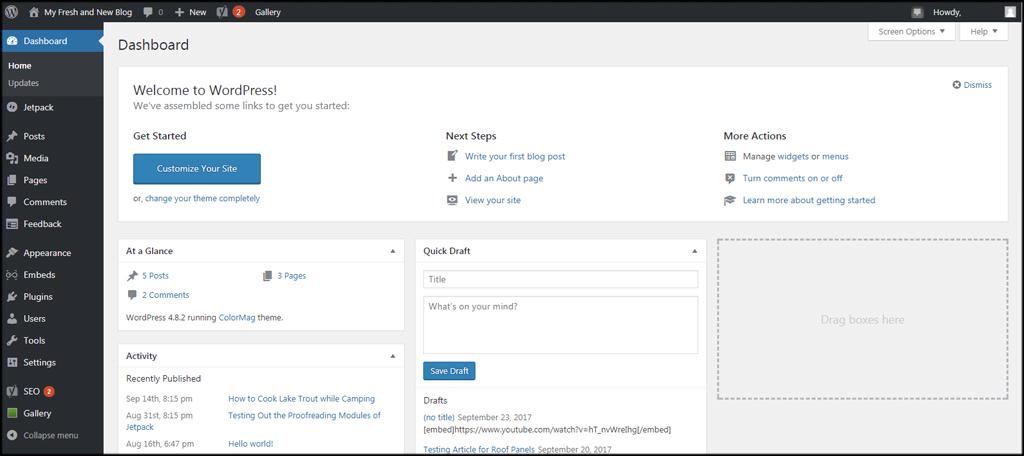
In the ever-evolving digital landscape, having a robust online presence is paramount for businesses and individual creators alike. WordPress, powering over 40% of all websites on the internet, stands as a testament to the power of flexibility and customization. At the heart of this popular platform lies an often underappreciated gem: plugins. These powerful tools can dramatically enhance your website’s functionality, user experience, and overall performance. Whether you’re a seasoned developer or a newcomer to the WordPress ecosystem, understanding the importance of plugins and how to effectively leverage them can unlock the true potential of your website. In this article, we will explore the critical role that plugins play in website development, the diverse range of options available, and best practices for integrating them into your workflow to create a site that not only meets but exceeds your expectations. Join us as we delve into the world of WordPress plugins and discover how they can transform your digital presence.
Table of Contents
- Understanding WordPress Plugins and Their Impact on Website Functionality
- Essential Plugins for Enhanced Security and Performance
- Boosting User Experience with Specialized Plugins
- Best Practices for Choosing and Managing Your WordPress Plugins
- Future Outlook
Understanding WordPress Plugins and Their Impact on Website Functionality
WordPress plugins are the building blocks that empower users to customize their websites according to their specific needs. Each plugin serves a unique purpose, whether it’s enhancing security, improving performance, or adding new features. By simply installing a plugin, users can seamlessly integrate functions that would otherwise require extensive coding knowledge. Some of the most popular types of plugins include:
- SEO Optimization: Plugins like Yoast SEO help manage on-page SEO elements.
- E-commerce: WooCommerce transforms a standard site into a fully-functional online store.
- Security: Plugins such as Wordfence provide essential protection against threats.
- Analytics: Google Analytics for WordPress offers insights into visitor behavior.
The effect of these plugins on overall website functionality cannot be overstated; they provide a scalable approach to enhancements as a website grows. With thousands of plugins available, website owners can tailor their user experience, engage visitors more effectively, and utilize data-driven strategies to improve their site’s performance. Below is a simplified comparison of some notable plugins and their key features:
| Plugin Name | Primary Function | User Rating |
|---|---|---|
| Yoast SEO | SEO Optimization | 4.9/5 |
| WooCommerce | E-commerce Solutions | 4.8/5 |
| Wordfence | Security Enhancement | 4.7/5 |
| Elementor | Page Builder | 4.9/5 |
Essential Plugins for Enhanced Security and Performance
When it comes to fortifying your WordPress site, security plugins are your first line of defense. These tools provide a wealth of features designed to protect your website from a variety of online threats. Key plugins to consider include:
- Wordfence Security: Offers firewall protection, malware scanning, and live traffic monitoring.
- Sucuri Security: A comprehensive security suite that includes audits, malware scanning, and hardening features.
- iThemes Security: Enhances your website by addressing over 30 common security vulnerabilities.
Similarly, optimizing site performance is equally important. Performance plugins can significantly enhance loading times and overall user experience. Consider integrating:
- WP Rocket: A powerful caching plugin that boosts your site’s speed with minimal setup.
- W3 Total Cache: Provides advanced caching methods for greater performance boosts.
- Smush: Optimizes images to reduce loading times without sacrificing quality.
Combining robust security and performance plugins not only shields your WordPress site from vulnerabilities but also maximizes its efficiency. This dual approach fosters a seamless experience for your audience, ensuring that they return time after time.
Boosting User Experience with Specialized Plugins
One of the standout features of WordPress is its versatility, greatly enhanced by specialized plugins. These powerful tools can be tailored to meet the unique needs of your business or site, ensuring a seamless user experience. For example, SEO plugins can optimize your content automatically, improving visibility and driving traffic, while page builders allow you to create stunning layouts without any coding knowledge. Other examples include social media integration plugins that help you connect with your audience where they’re already active, and performance optimization tools that speed up your site, making it more user-friendly.
To illustrate how specialized plugins can elevate the user experience, consider the following benefits:
| Plugin Type | Benefit |
|---|---|
| Contact Forms | Facilitates easy communication with visitors. |
| Analytics Tools | Provides insights into user behavior for informed decisions. |
| E-commerce Solutions | Transforms your site into a fully functional online store. |
| Security Plugins | Enhances site security, building user trust. |
By thoughtfully integrating these plugins, you can create a tailored experience that not only attracts users but also keeps them engaged. A well-optimized site equipped with the right tools can lead to higher customer satisfaction, encouraging return visits and fostering loyalty. In a digital age where usability is paramount, the strategic selection of plugins is not just beneficial—it’s essential.
Best Practices for Choosing and Managing Your WordPress Plugins
When selecting plugins for your WordPress site, it’s vital to ensure they align with your specific needs and goals. Start by evaluating plugins based on their ratings and reviews, which can provide insights into user experiences and potential issues. Additionally, check for compatibility with your current version of WordPress and other plugins you may have installed. Another crucial consideration is the update frequency of the plugin; well-maintained plugins are likely to be more secure and compatible over time. A tip to remember is to limit the number of active plugins; excessive plugins can slow down your site and increase security vulnerabilities.
Once you have chosen appropriate plugins, managing them effectively becomes key to maintaining optimal site performance. Regularly review your installed plugins, deactivating or deleting those that are no longer in use. Consider implementing a staging environment to test out new plugins or updates before applying them to your live site, ensuring that any potential conflicts do not disrupt your operations. Additionally, it is wise to keep backups of your site regularly; this allows you to restore functionality swiftly in case a plugin causes an issue. Here’s a simple table to summarize essential management practices:
| Practice | Description |
|---|---|
| Regular Updates | Keep plugins updated to the latest versions to ensure security and functionality. |
| Backup Routine | Schedule regular backups of your site to facilitate easy recovery. |
| Limit Active Plugins | Reduce the number of active plugins to essential ones to improve performance. |
| Test Changes | Use a staging site to test new plugins or updates before going live. |
Future Outlook
As we conclude our exploration of the vital role plugins play in unlocking the full potential of WordPress, it’s clear that these powerful tools are more than just optional add-ons; they’re essential components of a successful website. By carefully selecting and implementing the right plugins, you can enhance functionality, improve user experience, and ultimately drive more traffic to your site.
Remember, the WordPress ecosystem is vast and diverse, so take the time to research and test various plugins that align with your goals. Stay updated on the latest developments and best practices to ensure your website remains competitive in the ever-evolving digital landscape.
Embrace the power of plugins, and watch as your WordPress site transforms into a robust platform that meets your unique needs and exceeds your audience’s expectations. Here’s to unlocking your WordPress potential—one plugin at a time!