
Understanding Auto-Scaling’s Impact on WordPress Hosting
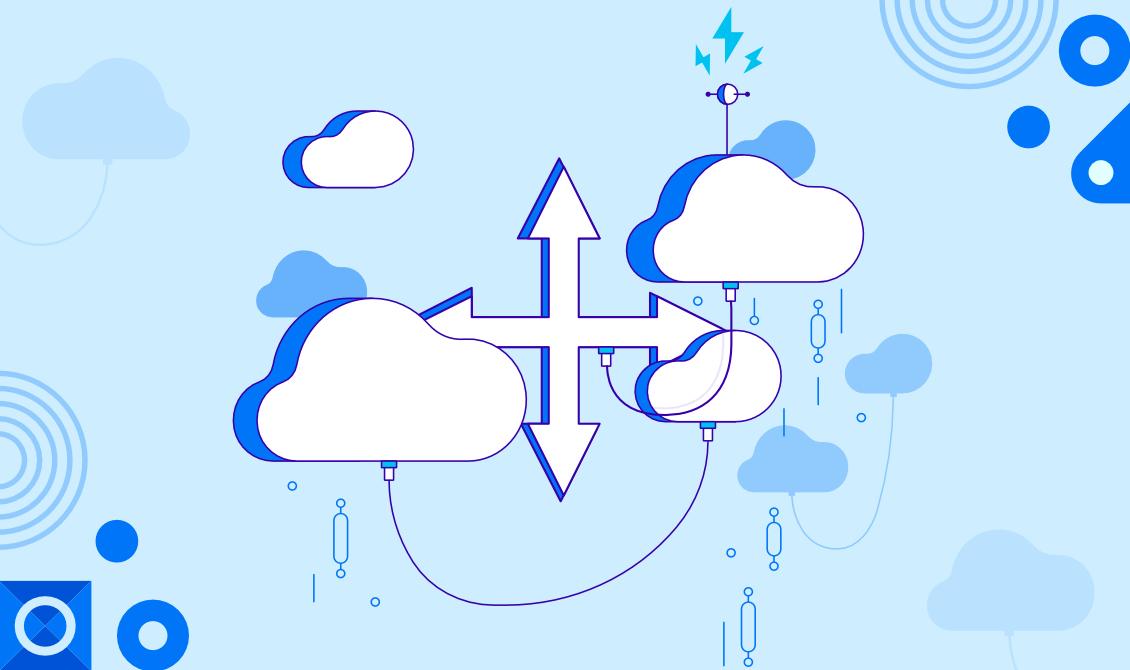
In the digital age, where website performance can make or break a business, having a reliable hosting solution is paramount—especially for dynamic platforms like WordPress. As traffic surges, especially during peak times, the need for robust scalability becomes evident. Enter auto-scaling, a game-changing technology that empowers web applications to adapt seamlessly to varying workloads. This article delves into the intricacies of auto-scaling and its profound impact on WordPress hosting, exploring how it can enhance performance, alleviate downtime, and ultimately improve user satisfaction. By the end, you’ll gain a clear understanding of how auto-scaling can not only streamline your site’s performance but also offer you peace of mind, knowing your WordPress site is equipped to handle whatever traffic challenges come its way. Whether you run a personal blog or a high-traffic e-commerce site, grasping the benefits of auto-scaling could be the key to unlocking your site’s full potential.
Table of Contents
- The Fundamentals of Auto-Scaling and Its Relevance to WordPress Hosting
- Key Benefits of Implementing Auto-Scaling for Performance Optimization
- Common Challenges and Solutions When Adopting Auto-Scaling for WordPress
- Essential Tips for Choosing the Right Auto-Scaling Solutions for Your Needs
- The Way Forward
The Fundamentals of Auto-Scaling and Its Relevance to WordPress Hosting
Auto-scaling is a dynamic process that enables hosting environments to automatically adjust their resources in response to real-time changes in traffic and demand. This capability is particularly critical for WordPress sites that experience fluctuating visitor numbers, whether due to seasonal trends, promotional events, or viral content. In an auto-scaling environment, servers can automatically increase or decrease the resources available, such as CPU and RAM, ensuring optimal performance without latency or downtime. This means that your WordPress site can handle sudden spikes in traffic seamlessly, maintaining a smooth user experience while minimizing operational costs.
The relevance of auto-scaling to WordPress hosting cannot be overstated, especially for businesses that rely on their online presence. It provides several key benefits, including:
- Cost Efficiency: Pay for only the resources you use, reducing wasteful spending on unused capacity.
- Performance Optimization: Ensures fast loading times by allocating resources as needed during peak periods.
- Reliability: Minimizes the risk of site crashes during high traffic, ensuring that your visitors have constant access to your content.
To illustrate the impact, consider the following table which compares traditional hosting vs. auto-scaling hosting for a WordPress site:
| Feature | Traditional Hosting | Auto-Scaling Hosting |
|---|---|---|
| Resource Allocation | Fixed | Dynamic |
| Cost | Consistent | Variable, based on usage |
| Performance During Traffic Spikes | May falter | Optimized |
| Management | More hands-on | Automated |
Key Benefits of Implementing Auto-Scaling for Performance Optimization
Implementing auto-scaling in your WordPress hosting environment offers a range of significant advantages that directly contribute to enhanced performance. By automatically adjusting server resources based on traffic demands, auto-scaling ensures that your website remains responsive even during traffic spikes. This means your users won’t experience frustrating delays or downtime, leading to a better overall user experience. Some key advantages include:
- Resource Optimization: Allocate resources only when needed, preventing over-provisioning and reducing costs.
- Improved User Experience: Minimize loading times during high traffic periods, keeping visitors engaged and reducing bounce rates.
- Seamless Scalability: Easily accommodate sudden traffic surges, such as during promotions or viral events, without disruption.
Moreover, auto-scaling enhances the reliability of your WordPress site by ensuring high availability. Even if one server encounters issues, additional instances can automatically take over the load. This redundancy is crucial for maintaining uptime and ensuring smooth service continuity. Consider the following practical benefits:
| Benefit | Description |
|---|---|
| Cost Efficiency | Only pay for the resources used during peak times, saving on unnecessary expenses. |
| Dynamic Adjustments | Instantly respond to traffic changes without manual intervention. |
| Enhanced Performance | Maintain optimal website speed and reliability across varying user loads. |
Common Challenges and Solutions When Adopting Auto-Scaling for WordPress
Adopting auto-scaling for WordPress can present a range of challenges that may impede the effective utilization of this technology. One common issue is configuration complexity. Setting up auto-scaling requires a thorough understanding of both your WordPress infrastructure and the cloud environment you’re working with. Misconfigurations can lead to performance bottlenecks. Additionally, the dynamic nature of web traffic can lead to fluctuations that are difficult to predict. This unpredictability requires constant monitoring and potentially frequent adjustments to scaling thresholds to ensure optimal performance.
Another significant challenge arises from database management. WordPress relies heavily on MySQL for its database needs, and scaling databases is not as straightforward as scaling web servers. When your auto-scaling solution spins up new instances, it may not automatically provision extra database resources, which can result in slow response times. To mitigate these issues, consider implementing read replicas and leveraging caching solutions like Redis or Memcached. Additionally, ensure your solution is equipped to handle session persistence and efficient load balancing, as these factors are vital for maintaining a seamless user experience across multiple instances.
Essential Tips for Choosing the Right Auto-Scaling Solutions for Your Needs
When selecting auto-scaling solutions for your WordPress hosting, it’s crucial to consider factors that directly impact performance and user experience. First, evaluate the provider’s ability to handle sudden traffic surges. Ensure that the solution automatically adjusts resources in real-time to maintain optimal performance without downtime. Second, assess the compatibility with your existing infrastructure. A seamless integration with your current setup will save you time and reduce the risk of disruptions during implementation. Some considerations include:
- Technical requirements: Ensure that the auto-scaling solution supports your current hosting environment.
- Flexibility: Look for features that allow you to customize scaling parameters according to your specific needs.
- Monitoring tools: Opt for solutions that offer built-in analytics to track performance metrics and scaling events.
Additionally, understanding the cost structure of auto-scaling solutions is vital. Some providers charge based on the amount of resources consumed during scaling events, while others offer flat-rate pricing. Comparing the potential costs can help you prevent unexpected expenses. Consider creating a table to visualize the differences among various providers:
| Provider | Pricing Model | Support Features |
|---|---|---|
| Provider A | Pay-as-you-go | 24/7 Support, Dashboards |
| Provider B | Flat Rate | Email Support, Analytics |
| Provider C | Hybrid | Chat Support, Custom Alerts |
By thoroughly evaluating these aspects, you can ensure that you choose an auto-scaling solution that not only meets your immediate needs but also supports your growth effectively.
The Way Forward
understanding auto-scaling’s impact on WordPress hosting is essential for anyone looking to optimize their website performance and reliability. By leveraging auto-scaling features, you can dynamically adjust resources based on real-time traffic demands, ensuring that your site remains responsive even during traffic spikes. This not only enhances the user experience but also allows for more efficient resource utilization, ultimately resulting in cost savings.
As the digital landscape continues to evolve, embracing technology like auto-scaling will give you a competitive edge. Whether you’re running a personal blog or a large e-commerce platform, the ability to scale effectively can make a significant difference in your site’s performance.
Remember, the key to successful hosting is not just about managing resources, but about understanding how to adapt to changing demands. With the insights gathered from this article, you’re now better equipped to make informed decisions that can elevate your WordPress site to new heights. Don’t hesitate to reach out with any questions or share your experiences with auto-scaling in the comments below. Happy hosting!