
Why SSD Storage is Crucial for Optimal WordPress Hosting
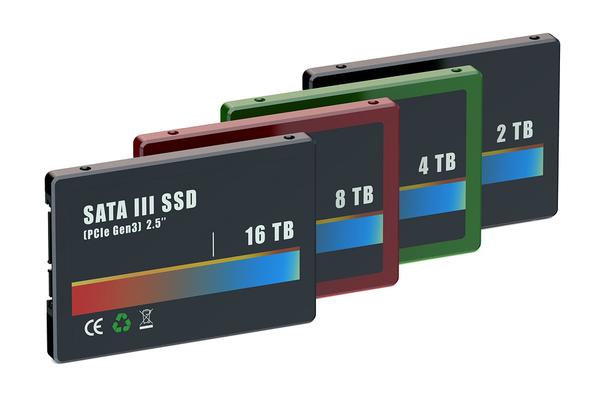
In today’s digital landscape, where speed and performance are paramount, choosing the right hosting solution for your WordPress site can significantly impact its success. As more businesses and individuals turn to WordPress for their online presence, the need for efficient, reliable, and high-performing hosting options has never been greater. One of the standout factors that can elevate your WordPress experience is the type of storage used by your hosting provider. Enter Solid State Drives (SSDs)—the game-changer in the world of web hosting. In this article, we’ll delve into why SSD storage is not just an option but rather a crucial component for optimal WordPress hosting. From boosting site speed and improving user experience to enhancing security and scalability, SSDs offer a myriad of advantages that can propel your website to new heights. Join us as we explore the undeniable benefits of SSD storage and why it should be a top consideration for anyone looking to elevate their WordPress site.
Table of Contents
- Understanding the Performance Benefits of SSDs in WordPress Hosting
- The Impact of SSD Storage on Website Speed and User Experience
- Cost-Effectiveness of SSDs Compared to Traditional Hard Drives
- Selecting the Right SSD Hosting Provider for Your WordPress Site
- Concluding Remarks
Understanding the Performance Benefits of SSDs in WordPress Hosting
When it comes to WordPress hosting, the speed and performance of your website can make a significant difference in user experience and search rankings. Solid State Drives (SSDs) have revolutionized the web hosting landscape by offering drastically improved access times compared to traditional Hard Disk Drives (HDDs). This speed translates to quicker loading times for your WordPress site, which is crucial in retaining visitors. Studies show that even a one-second delay in page load can lead to a decrease in customer satisfaction and a substantial drop in conversions. With SSD storage, you can expect faster read/write speeds, which not only enhances performance but also improves data access rates, allowing your site to handle heavy traffic smoothly without glitches.
Furthermore, the technology behind SSDs provides increased durability and reliability. Unlike HDDs, which have moving parts that can fail and lead to data loss, SSDs store data on flash memory. This durability means less downtime for your site and greater peace of mind for you and your users. By incorporating SSDs into your WordPress hosting plan, you also empower your website with the ability to leverage advanced caching techniques, further enhancing performance. Key benefits of using SSDs include:
- Faster Load Times: Enhanced speed results in improved user engagement.
- Improved I/O Operations: Handles multiple requests simultaneously without lag.
- Better Energy Efficiency: Consumes less power compared to traditional drives.
- Increased Reliability: Lower failure rates mean fewer disruptions.
The Impact of SSD Storage on Website Speed and User Experience
In the world of digital interactions, speed is paramount. When a visitor clicks on a link to your WordPress site, the expectation is instant gratification. SSD storage significantly enhances website speed by leveraging flash memory technology, which allows data to be accessed and written at lightning-fast speeds compared to traditional HDDs. This reduction in load times not only keeps users engaged but also diminishes bounce rates—an essential factor in maintaining a healthy user experience. Studies show that a mere one-second delay in page response can lead to a significant drop in conversions, making SSDs a vital component in modern web hosting environments.
Moreover, the benefits of SSD storage extend beyond speed. With features such as improved durability and lower latency, SSDs handle high volumes of traffic and large datasets more efficiently. Websites with heavy multimedia content experience smoother interactions and faster rendering times, contributing to an overall improved user satisfaction. Consider these advantages:
- Enhanced load speeds: Reduces waiting time for visitors.
- Increased reliability: Lesser chance of physical failure compared to HDDs.
- Boosted SEO rankings: Faster sites can lead to better visibility on search engines.
Cost-Effectiveness of SSDs Compared to Traditional Hard Drives
When it comes to storage solutions for WordPress hosting, the financial implications of choosing between SSDs and traditional hard drives extend beyond initial purchase prices. While SSDs generally come with a higher upfront cost, their superior performance delivers significant long-term savings that can redefine overall operational budgets. This can lead to a reduced need for maintenance due to their reliability, fewer issues with data corruption, and lower energy consumption rates compared to their HDD counterparts.
In a world that demands speed and efficiency, SSDs provide cost-effectiveness that can be measured in various ways:
- Increased Productivity: Faster load times equate to better user experiences, leading to higher conversion rates.
- Longevity: SSDs typically have a longer lifespan, resulting in less frequent replacements.
- Lower Operating Costs: The energy savings from running an SSD versus an HDD can accumulate over time.
To give a clearer snapshot of the differences in performance and cost over time, here’s a simple comparison:
| Feature | SSD | Traditional HDD |
|---|---|---|
| Read/Write Speed | 500-5000 MB/s | 80-160 MB/s |
| Typical Lifespan | 5-10 years | 3-5 years |
| Average Power Consumption | 2-4 watts | 6-10 watts |
| Cost per GB | ~$0.10-$0.30 | ~$0.03-$0.10 |
Selecting the Right SSD Hosting Provider for Your WordPress Site
When choosing an SSD hosting provider for your WordPress site, it’s essential to prioritize a few key factors that will directly impact your site’s performance and reliability. Look for a provider that offers high-speed SSD storage, as this will significantly enhance your website’s loading times and overall user experience. Additionally, ensure that the hosting service includes automatic backups and provides 24/7 customer support. These features are critical for minimizing downtime and quickly resolving any technical issues that may arise.
Another important aspect to consider is the scalability of the hosting plan. As your WordPress site grows, you should have the option to easily upgrade plans without the hassle of migrating to a new host. Additionally, check the security measures that the provider has in place, as a secure environment is vital to protect user data and maintain trust. To help you make an informed decision, consider utilizing a comparison table that highlights key features of various SSD hosting providers:
| Provider | SSD Speed | Backup | Support | Scalability |
|---|---|---|---|---|
| Host A | NVMe | Daily | 24/7 Live Chat | Easy Upgrade |
| Host B | SATA | Weekly | Email Support | Manual Upgrade |
| Host C | NVMe | Daily | 24/7 Phone Support | One-Click Upgrade |
Concluding Remarks
the impact of SSD storage on WordPress hosting cannot be overstated. As we’ve explored, the unparalleled speed, reliability, and efficiency of SSDs significantly enhance not only the performance of your website but also the user experience and search engine rankings. In a digital landscape where every millisecond counts, investing in SSD storage for your WordPress site is not just an option—it’s a necessity.
Whether you’re a small business owner, a blogger, or an e-commerce entrepreneur, understanding the advantages of SSDs will empower you to make informed decisions that can drive your online success. As you evaluate your hosting options, prioritize providers that offer SSD storage, ensuring your WordPress site runs smoothly and efficiently.
Embrace the future of web hosting, and give your audience the fast, responsive experience they expect and deserve. By doing so, you’ll not only keep them engaged but also position your website for growth and success in a competitive market. Happy hosting!