
Unlocking Success: The Advantages of Using WordPress
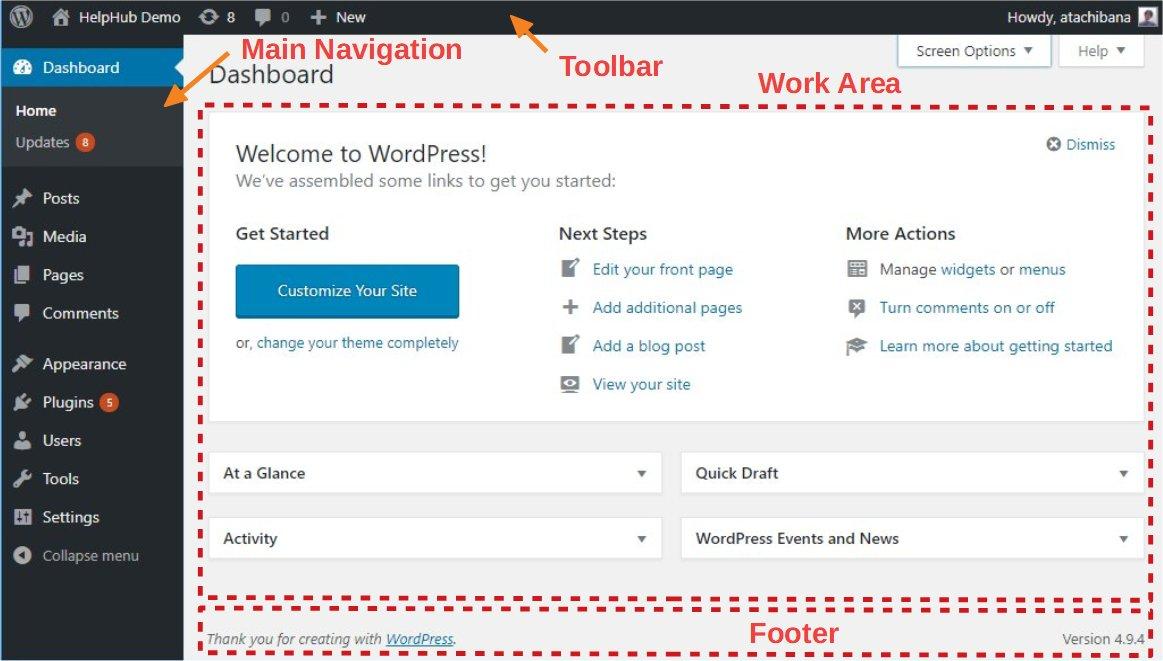
In today’s digital landscape, a strong online presence is essential for individuals and businesses alike. Whether you’re an entrepreneur eager to launch your first website, a blogger ready to share your passion with the world, or a large corporation seeking to enhance your brand visibility, choosing the right content management system (CMS) can make all the difference. Enter WordPress – a powerful, versatile platform that has transformed the way we create and manage websites. With over 40% of the web powered by WordPress, it’s clear that this platform is not just a passing trend; it has established itself as a cornerstone of online success. In this article, we’ll explore the numerous advantages of using WordPress, from its user-friendly interface and robust customization options to its strong security features and vibrant community support. Join us as we unlock the potential of WordPress and uncover how it can help you achieve your online goals with ease and effectiveness.
Table of Contents
- The Power of Flexibility and Customization in WordPress
- Enhancing User Experience Through Design and Functionality
- SEO Advantages That Propel Your Website Forward
- Building a Supportive Community and Network with WordPress
- To Conclude
The Power of Flexibility and Customization in WordPress
The flexibility and customization offered by WordPress are two of its most remarkable features, empowering users to create highly personalized websites that reflect their unique vision. With thousands of themes and plugins at your fingertips, you can effortlessly tailor the look and functionality of your site to meet your specific needs. Whether you’re building a simple blog, an e-commerce store, or a complex portfolio, the diverse range of options available allows you to enhance your site’s aesthetics and user experience. Key benefits of this flexibility include:
- Easy Theme Modification: Choose from a plethora of designs that can be customized via the built-in WordPress Customizer.
- Plugin Integration: Seamlessly add features such as contact forms, SEO tools, and social media integration without extensive coding.
- Responsive Design: Most themes are mobile-friendly, ensuring your site looks great on any device.
Moreover, WordPress allows for an unparalleled level of customization through its open-source nature. This means you can modify the core code or create your own plugins to fulfill any specific requirements you might have. This adaptability can significantly reduce the time and resources needed to develop complex functionalities. Below is a concise comparison of different hosting options available for WordPress, illustrating how they may affect your site’s performance:
| Hosting Type | Performance | Cost |
|---|---|---|
| Shared Hosting | Moderate | Low |
| VPS Hosting | High | Medium |
| Managed WordPress Hosting | Very High | Higher |
Enhancing User Experience Through Design and Functionality
In the competitive digital landscape, an effective user experience often hinges on the seamless integration of design and functionality. With WordPress, users can tap into an extensive library of themes and plugins that ensure their websites are not only visually appealing but also operationally efficient. By prioritizing intuitive navigation, sleek layouts, and responsive design, businesses can significantly enhance the way their users interact with their content. The modular nature of WordPress allows for easy adjustments, ensuring that websites remain up-to-date with the latest trends and technologies. This adaptability fosters a deeper connection between the site and its audience, ultimately driving engagement and retention.
Moreover, the built-in functionality of WordPress contributes significantly to enhancing user satisfaction. Features like customizable comment sections, integrated social media sharing options, and accessibility tools are just a few elements that promote user interaction. By leveraging these capabilities, businesses can create a positive feedback loop where user suggestions and behaviors inform ongoing design improvements. Consider the following table, which highlights key functionalities of WordPress and their impact on user experience:
| Functionality | Impact on User Experience |
|---|---|
| Responsive Themes | Ensures optimal viewing across devices |
| SEO Plugins | Enhances visibility, attracting more visitors |
| User-Friendly Dashboards | Simplifies content management for non-technical users |
| Customizable Menus | Improves navigation, making it easier to access information |
SEO Advantages That Propel Your Website Forward
In the highly competitive digital landscape, harnessing the power of SEO can significantly impact your site’s visibility and user engagement. A well-optimized website crafted with WordPress not only enhances search engine rankings but also improves the overall user experience. By leveraging integrated SEO plugins such as Yoast SEO, you can effortlessly manage keywords, content readability, and metadata to meet search engine criteria and user intent. This streamlined approach ensures that your site doesn’t just attract visitors but also retains them, creating a synergy between optimized content and user satisfaction.
Moreover, WordPress’s versatility allows for seamless integration of various performance-enhancing tools that contribute to SEO success. By implementing features like mobile responsiveness and fast loading times, your website can cater to a broader audience while adhering to search engine algorithms that prioritize user experience. Consider these advantages:
- Customizable Themes: Tailor your website’s look and feel to match branding while maintaining SEO-favorable structures.
- Rich Snippets: Utilize schema markup easily with plugins to enhance search result displays and attract clicks.
- Clean Code: WordPress themes are generally coded in a way that improves indexing and ranking by search engines.
Building a Supportive Community and Network with WordPress
Creating a vibrant community around your WordPress site not only enhances the user experience but also establishes valuable connections that can lead to personal and professional growth. Engaging with your audience can happen through various channels, including forums, social media, and comments sections, where users can share ideas, ask questions, and offer suggestions. Building a community is about fostering an environment where individuals feel encouraged to contribute. Here are a few key strategies to consider:
- Host regular webinars and live Q&A sessions
- Encourage guest posts to diversify content
- Utilize social media platforms to share insights and updates
- Create a dedicated forum or a Slack channel for discussions
By nurturing these connections, you’ll not only enhance your brand’s reputation but also create a network that supports its growth. Networking within the WordPress ecosystem can yield significant advantages, such as discovering opportunities for collaboration and gaining access to resources from fellow contributors. To illustrate the potential of a well-connected community, consider the following table that highlights the aspects of community-building:
| Aspect | Benefit |
|---|---|
| Collaboration | Shares knowledge and expands reach |
| Support | Encouragement during challenges |
| Visibility | Increases your site’s exposure |
| Feedback | Provides insights for improvement |
To Conclude
WordPress stands out as a powerful platform that offers a multitude of advantages for anyone looking to establish a successful online presence. From its user-friendly interface to its extensive customization options and robust community support, WordPress empowers both beginners and seasoned professionals alike to create impressive websites tailored to their unique needs. Whether you’re a small business owner, a creative artist, or an entrepreneur, leveraging the capabilities of WordPress can unlock new avenues for engagement, growth, and success.
As you embark on your journey with WordPress, remember that the true potential lies in exploring its features, connecting with the community, and continuously learning. The digital landscape is ever-evolving, and WordPress equips you with the tools necessary to stay ahead of the curve. So, dive in, experiment, and watch your online endeavors flourish. Here’s to your journey of unlocking success with WordPress!