
Top Free Plugins to Supercharge Your WordPress Optimization
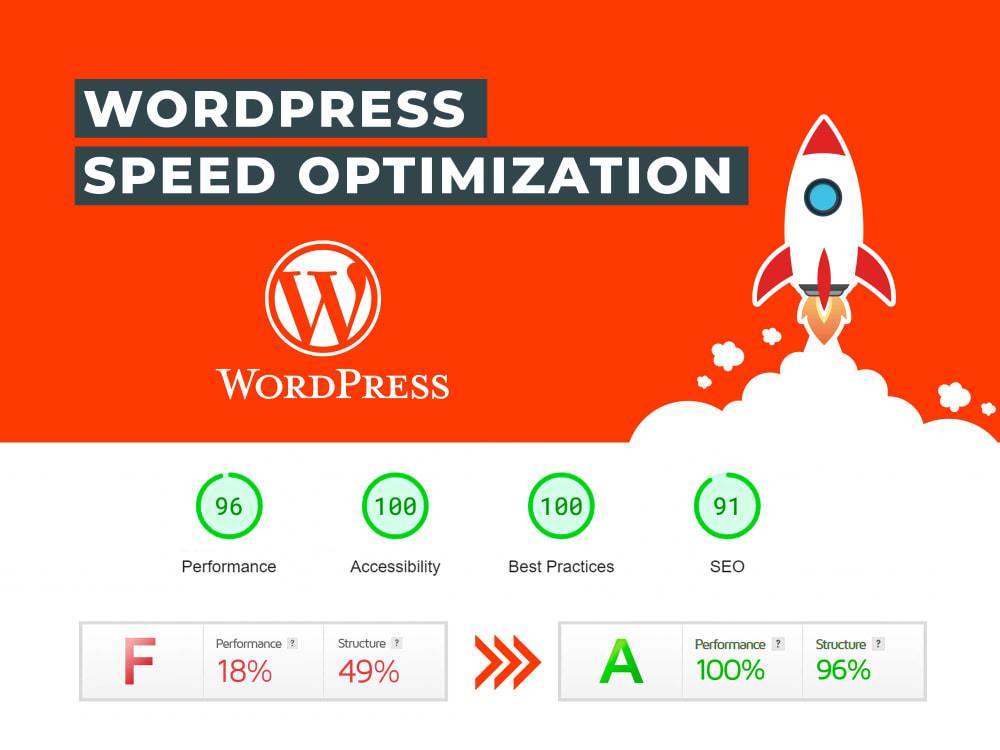
In the ever-evolving landscape of digital presence, ensuring that your WordPress site is optimized for performance, speed, and user engagement is no longer optional—it’s essential. Whether you’re a seasoned developer or a small business owner just beginning your online journey, leveraging the right tools can make a world of difference. Among the myriad of resources available, plugins stand out as powerful allies in enhancing the functionality and efficiency of your WordPress site. In this article, we’ll explore the top free plugins designed to supercharge your WordPress optimization. From boosting loading times to improving SEO and enhancing user experience, these tools are not only budget-friendly but also pack a significant punch in elevating your website’s performance. Read on to discover how these plugins can transform your site into a finely tuned machine, ready to captivate and retain visitors.
Table of Contents
- Enhancing Site Speed with Essential Caching Plugins
- Improving SEO Performance through Top-Rated Plugins
- Boosting Image Optimization for Faster Load Times
- Streamlining Database Management with Recommended Tools
- Closing Remarks
Enhancing Site Speed with Essential Caching Plugins
When it comes to optimizing your WordPress site, caching plugins are indispensable tools that can dramatically improve page load times and enhance user experience. By storing the static versions of your web pages, these plugins reduce the amount of data that needs to be processed each time a visitor accesses your site. Some of the essential features to look out for in a caching plugin include:
- Page Caching: Speeds up page delivery by serving a static HTML version.
- Browser Caching: Encourages browsers to store files locally for faster retrieval.
- Minification: Reduces file size by eliminating unnecessary code.
- CDN Integration: Seamlessly connects with Content Delivery Networks for global performance.
Popular among WordPress users, several plugins stand out for their robust functionality and user-friendly interfaces. Each plugin brings its unique strengths, catering to different needs and preferences. Below is a comparative overview of some top-rated caching plugins:
| Plugin Name | Key Features | Compatibility |
|---|---|---|
| WP Super Cache | Simple setup, Static file serving | All WordPress versions |
| W3 Total Cache | Comprehensive caching options | Optimized for e-commerce |
| Cache Enabler | Lightweight & Fast | Compatible with Cloudflare |
Improving SEO Performance through Top-Rated Plugins
Leveraging top-rated plugins for your WordPress site can dramatically enhance your SEO performance, providing you the edge necessary to outshine your competitors. Yoast SEO and All in One SEO Pack are standout plugins that offer comprehensive solutions for optimizing your content. With features like XML sitemaps, meta tags optimization, and readability analysis, these plugins guide you in crafting content that is not only search engine-friendly but also engaging for your readers. Additionally, utilizing plugins such as Schema Pro can help implement structured data, allowing search engines to understand your content better and potentially improve your visibility in search results.
Another essential tool is WP Super Cache, which improves site speed — a significant ranking factor for Google. Fast-loading pages enhance user experience, leading to lower bounce rates and higher conversions. Furthermore, incorporating MonsterInsights can provide deep insights into your analytics dashboard, revealing how users interact with your website and pinpointing areas needing improvement. Below is a comparison of essential SEO plugins and their key features:
| Plugin | Key Features |
|---|---|
| Yoast SEO | XML sitemaps, Readability analysis, Focus keyword optimization |
| All in One SEO Pack | SEO optimization for custom post types, Social media integration, XML sitemap support |
| Schema Pro | Implement schema markup, Boost rich snippets, Customizable layout |
| MonsterInsights | Enhanced Google Analytics, Real-time stats, E-commerce tracking |
| WP Super Cache | Caching for faster loading, Compatible with CDN, Easy to use |
Boosting Image Optimization for Faster Load Times
Images are essential for a visually appealing website, but oversized files can significantly slow down page load times. To ensure your visitors have a seamless browsing experience, it’s crucial to optimize images without compromising their quality. Here are several free plugins that efficiently handle image optimization:
- Smush: This plugin automatically compresses images upon upload, removing unnecessary data while maintaining quality.
- ShortPixel: Offers a free tier for image compression and includes various optimization formats like WebP for faster loading.
- EWWW Image Optimizer: Known for its ease of use, this plugin optimizes images in bulk and adjusts settings per need.
In addition to using image optimization plugins, it’s important to adhere to best practices in image management. Consider implementing lazy loading, which only loads images as they come into the viewport. This can significantly reduce initial load times. Moreover, ensure that all images are in the appropriate file format, where JPEGs are ideal for photographs, while PNGs serve better for images with transparency.
| Format | Best Use | Load Speed |
|---|---|---|
| JPEG | Photography | Fast |
| PNG | Transparency | Moderate |
| GIF | Animations | Slow |
Streamlining Database Management with Recommended Tools
Managing databases effectively is crucial for ensuring optimal performance and reliability of your WordPress site. Utilizing the right tools can simplify complex tasks, enhance efficiency, and maintain data integrity. Several plugins stand out when it comes to database management, offering features that are both user-friendly and powerful. Among these, consider using:
- WP-Optimize: This plugin helps clean your database by removing unnecessary data and reducing overhead, resulting in faster site performance.
- WP-Sweep: It allows you to easily remove post revisions, trashed posts, and other duplicates, streamlining your data structure.
- Advanced Database Cleaner: This tool provides in-depth options to schedule auto-cleanups, ensuring your database is consistently optimized with minimal manual effort.
In addition to these plugins, integrating backup solutions can offer peace of mind. Regular backups of your database protect against data loss and make recovery a smoother process. You may want to consider the following backup plugins:
| Plugin Name | Key Feature |
|---|---|
| UpdraftPlus | User-friendly interface with cloud storage options |
| BackWPup | Multi-job backups to various storage services |
| WP Database Backup | Simple, one-click backup functionality |
Closing Remarks
optimizing your WordPress site doesn’t have to break the bank. By leveraging the top free plugins highlighted in this article, you can enhance your site’s performance, improve loading speeds, and boost overall SEO without any additional financial burden. Each plugin offers unique features tailored to specific needs, ensuring you can customize your site’s optimization strategy to match your goals.
As you implement these tools, remember that ongoing optimization is key. Regularly updating your plugins, monitoring your site’s performance, and making adjustments as necessary will help maintain peak performance.
Take the first step today to supercharge your WordPress optimization journey. Explore these plugins, experiment with their features, and watch your website thrive. If you have any favorite free optimization plugins that we didn’t mention, feel free to share in the comments below. Happy optimizing!