
Maximizing Your Website’s Efficiency on Shared Hosting Plans
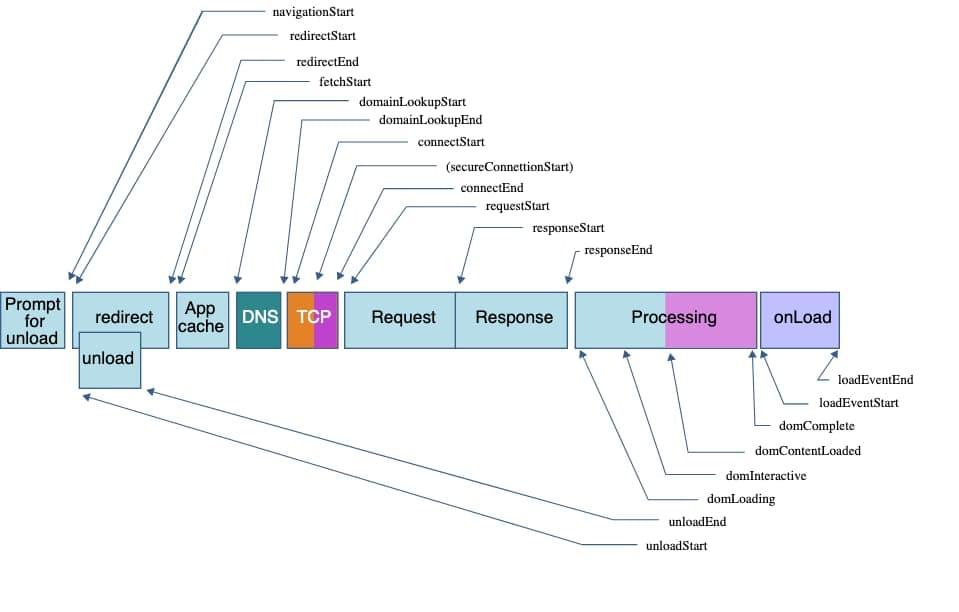
In today’s digital landscape, having a strong online presence is essential for businesses and individuals alike. However, not everyone has the budget for dedicated servers or premium hosting solutions. This is where shared hosting comes in—offering an affordable entry point into the world of web hosting. While it may be cost-effective, shared hosting can sometimes come with its own set of challenges, particularly when it comes to optimizing your website’s performance. In this article, we’ll dive into practical strategies and tips for maximizing your website’s efficiency on shared hosting plans. Whether you’re running a personal blog, an e-commerce store, or a portfolio site, understanding how to leverage the unique characteristics of shared hosting can help you achieve faster load times, improved reliability, and ultimately, a better experience for your visitors. Join us as we explore the best practices that can transform your website’s performance—without breaking the bank.
Table of Contents
- Understanding the Limitations of Shared Hosting Plans
- Optimizing Your Websites Performance Through Caching Solutions
- Effective Resource Management for Enhanced Site Speed
- Implementing Best Practices for SEO on Shared Hosting
- Insights and Conclusions
Understanding the Limitations of Shared Hosting Plans
When using shared hosting, it’s essential to recognise that your resources are not exclusively yours. This means that the performance of your website can be significantly affected by other users on the same server. Some common limitations to be aware of include:
- Limited CPU and RAM Availability: Your site might experience slowdowns during peak traffic times due to shared resources.
- Restricted Bandwidth: High usage by one site can affect overall server performance, causing speed issues for your site.
- Shared IP Address: This can lead to problems if another site on the same server is penalized by search engines.
An additional consideration is the level of support and customization available with these plans. Often, shared hosting providers may restrict access to server configurations, limiting your ability to optimize performance. Here are a few considerations related to support and customization:
- Limited Technical Support: Response times may vary significantly, impacting your ability to resolve issues quickly.
- Pre-installed Software Limits: You may not have access to certain software or plugins due to server restrictions.
- Firewall and Security Restrictions: Some security features may not be adjustable, leaving your site more vulnerable than desired.
| Limitations | Impact |
|---|---|
| Resource Sharing | Potential slow load times and downtime |
| Customization Restrictions | Limits on performance optimization |
| Support Quality | Possible delays in issue resolution |
Optimizing Your Websites Performance Through Caching Solutions
Caching is an essential strategy to enhance the performance of your website, especially on shared hosting plans where resources are limited. By temporarily storing a copy of your web pages and serving them to visitors, caching reduces the workload on your server and significantly decreases load times. You can choose from various caching solutions to implement, each with unique benefits, such as:
- Page Caching: Saves the full HTML of your pages to serve them quickly.
- Object Caching: Stores database query results for faster retrieval.
- Opcode Caching: Compiles PHP code and caches it to reduce execution time.
Integrating these solutions into your website can lead to noticeable improvements. To get started, consider using plugins that provide caching functionalities tailored for WordPress, such as W3 Total Cache or WP Super Cache. Setting them up typically involves selecting caching rules and testing performance. A side-by-side comparison of common caching plugins might look something like this:
| Plugin Name | Benefits | Ease of Use |
|---|---|---|
| W3 Total Cache | Comprehensive options for every aspect of caching. | Moderate |
| WP Super Cache | Simple setup with efficient performance. | Easy |
| WP Fastest Cache | User-friendly interface and quick results. | Very easy |
Effective Resource Management for Enhanced Site Speed
When it comes to enhancing your website’s speed on shared hosting plans, effective resource management is key. Optimizing your website’s loading time not only improves user experience but also boosts your search engine rankings. Start by monitoring and analyzing resource usage on your server. Utilize tools like Google PageSpeed Insights or GTmetrix to get insights into your website’s performance. This will help you identify bottlenecks and areas needing improvement. Focus on the following strategies:
- Image Optimization: Compress images without losing quality to reduce file size.
- Minify CSS and JavaScript: Remove unnecessary characters and whitespace in your code.
- Leverage Browser Caching: Enable caching so that returning visitors experience faster load times.
Additionally, consider the various types of caching available. By implementing object caching, you can store frequently accessed data in the memory, reducing database load and enhancing speed. Here’s a simplified comparison of caching options:
| Type of Caching | Benefits |
|---|---|
| Browser Caching | Speeds up repeat visits by storing static resources locally. |
| Object Caching | Increases performance by storing database query results. |
| Opcode Caching | Compiles PHP code to improve load speed significantly. |
Implementing Best Practices for SEO on Shared Hosting
When operating a website on a shared hosting plan, optimizing for SEO becomes essential to stand out in the crowded digital landscape. Start by ensuring that your website loads quickly, as page speed is a significant factor in Google’s ranking algorithm. You can achieve this with caching plugins to minimize load times and by using compressed images to reduce file sizes. An organized approach to your website structure is crucial; employ a clean and intuitive URL structure, ensuring it is easy for both users and search engines to navigate. Additionally, make use of header tags to create a hierarchy of information that helps search engines understand your content better.
Another vital aspect of SEO on shared hosting is to focus on high-quality content that captivates your audience. Regularly updating your blog with relevant articles can enhance your site’s visibility. Incorporating keywords naturally into your content will also aid in ranking higher on search engine results pages (SERPs). Here are some other essential strategies:
- Optimize meta tags with targeted keywords.
- Leverage social media to generate backlinks.
- Monitor site performance with tools like Google Analytics.
To further solidify your SEO efforts, consider using tools like Yoast SEO for WordPress, which can guide you through on-page SEO best practices. This ensures that you are not only attracting visitors but also keeping them engaged, ultimately leading to lower bounce rates and better overall rankings.
Insights and Conclusions
optimizing your website’s performance on shared hosting plans is not just a technical necessity but a strategic advantage. By implementing the strategies discussed—such as optimizing images, leveraging caching solutions, and regularly monitoring site performance—you can significantly enhance your site’s efficiency without incurring additional costs. Remember, a responsive and fast-loading website does not only improve user experience but also boosts your search engine rankings, effectively leading to increased traffic and conversions.
While shared hosting might come with its limitations, understanding how to navigate these constraints can empower you to make the most of your resources. We encourage you to take a proactive approach in fine-tuning your website and regularly revisit your optimization strategies as your needs evolve.
Thank you for reading! If you have any tips or experiences of your own to share, we invite you to leave a comment below. Here’s to a faster, more efficient website that drives results!