
Mastering WordPress: A Guide to Hosting Multiple Websites
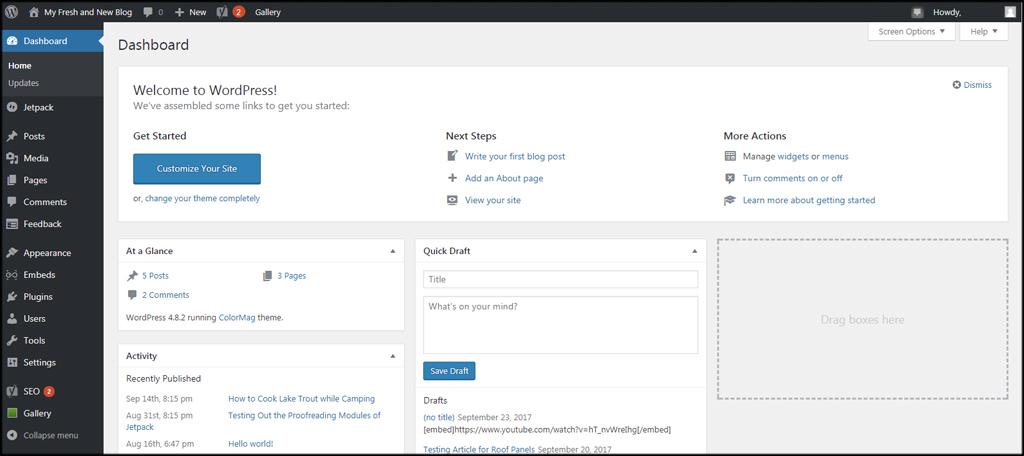
In today’s digital landscape, the ability to manage multiple websites efficiently has become a crucial skill for bloggers, entrepreneurs, and businesses alike. WordPress, the most popular content management system (CMS) globally, offers powerful features that allow users to create and manage numerous sites from a single account. Whether you’re a seasoned developer looking to diversify your web portfolio or a creative professional wanting to showcase various projects, mastering the intricacies of WordPress can significantly enhance your online presence. In this comprehensive guide, we will delve into the strategies and best practices for hosting multiple websites on WordPress, empowering you to navigate this versatile platform with confidence and ease. From selecting the right hosting provider to optimizing performance and ensuring security for each of your sites, we’ll cover everything you need to know to make the most of your WordPress experience. Let’s unlock the full potential of WordPress together and explore how you can streamline your workflow while delivering exceptional value across all your web ventures.
Table of Contents
- Choosing the Right Hosting Plan for Multiple WordPress Sites
- Best Practices for Organizing and Managing Your WordPress Websites
- Essential Plugins for Streamlined Multi-Site Management
- Performance Optimization Tips for a Smooth User Experience Across Your Websites
- The Conclusion
Choosing the Right Hosting Plan for Multiple WordPress Sites
When you have multiple WordPress sites to manage, selecting the right hosting plan becomes crucial. You want to ensure that your sites are not only reliable but also perform optimally under varying traffic loads. Here are some key factors to consider when making your choice:
- Resource Allocation: Ensure that the plan offers sufficient bandwidth and storage to accommodate your sites’ growth.
- Performance: Look for hosting that guarantees high uptime and speed, as these directly impact user experience and SEO.
- Scalability: Choose a provider that allows easy upgrades as your traffic and business needs expand.
- Management Tools: A good hosting plan should offer tools for easy site management, updates, and backups.
Additionally, consider whether you want a shared, VPS, or dedicated hosting solution. Each option has its advantages:
| Hosting Type | Best For | Cost |
|---|---|---|
| Shared Hosting | Beginners and small businesses | Low-cost |
| VPS Hosting | Growing sites requiring custom resources | Moderate |
| Dedicated Hosting | High-traffic sites needing maximum performance | High |
By carefully evaluating your needs and understanding the options available, you can select the perfect hosting plan that supports the operational demands of multiple WordPress sites while offering room for future growth.
Best Practices for Organizing and Managing Your WordPress Websites
Organizing and managing multiple WordPress websites can initially seem overwhelming, but with some effective strategies, it can become a streamlined process. Start by setting up a centralized management system. Using tools like ManageWP or InfiniteWP allows you to monitor updates, backups, and security across all your sites from a single dashboard. This not only saves time but also reduces the risk of overlooking critical updates that can leave your sites vulnerable. Additionally, consider categorizing your websites by purpose or niche. Grouping them can help you focus your resources more efficiently and ensure that your branding and content strategy remain consistent across the board.
When it comes to organizing your content, creating a detailed content calendar is essential. This will help keep track of publishing schedules, campaigns, and important dates across all your sites. Utilize plugins like Editorial Calendar to visually manage your posts and deadlines. Furthermore, consider implementing a standard naming convention for media files and a consistent taxonomy structure to enhance SEO and ease navigation. Here’s an example of how you might structure your media files:
| File Type | Naming Example | Usage |
|---|---|---|
| Image | site-name-post-title.jpg | Blog Posts |
| site-name-resource-title.pdf | Downloads | |
| Video | site-name-video-title.mp4 | Embedded Content |
Essential Plugins for Streamlined Multi-Site Management
Managing multiple websites can be quite the juggling act, but with the right plugins, it becomes a seamless endeavor. One essential plugin is Multisite Enhancements, which elevates your network management experience by providing a user-friendly interface for handling network admin tasks. This plugin adds valuable features like a list of recent activities and visual icons for quick identification of sites, making an overview of your network more manageable and intuitive. Another must-have is User Role Editor, which offers granular control over user capabilities across your multisite installations. With this plugin, you can effortlessly assign roles that are site-specific while customizing permissions, ensuring that each user has access tailored to their needs.
In addition to these, consider integrating WP Migrate DB Pro, a powerful tool for synchronizing databases across your sites with just a few clicks. This plugin simplifies the process of transferring data while keeping your multisite structure intact. For those concerned with performance, install WP Super Cache or W3 Total Cache to enhance loading times across your network. These caching solutions significantly reduce server load, making your sites faster and improving overall user experience. Here’s a quick comparison of caching options:
| Plugin | Key Features | Best For |
|---|---|---|
| WP Super Cache | Static HTML files, simple configuration | Beginners |
| W3 Total Cache | Comprehensive caching options, CDN integration | Advanced users |
Performance Optimization Tips for a Smooth User Experience Across Your Websites
Improving the performance of your websites is essential for providing a seamless user experience. Here are some effective strategies to achieve that:
- Optimize Images: Compress images before uploading them to your site to reduce load times.
- Utilize Caching: Implement caching plugins to store copies of your site, which helps speed up loading for repeat visitors.
- Minimize HTTP Requests: Limit the number of elements on your pages, such as scripts and stylesheets, to decrease server requests.
- Enable GZIP Compression: Reduce the size of your website’s files, allowing them to load faster over the network.
Monitoring and analyzing your website’s performance metrics is key to identifying areas for improvement. Use tools like Google PageSpeed Insights to get actionable recommendations. Additionally, consider these best practices:
| Action | Impact |
|---|---|
| Use a Content Delivery Network (CDN) | Increases speed by distributing content globally. |
| Choose the Right Host | Significantly affects performance; consider managed WordPress hosting. |
| Update Plugins and Themes | Helps maintain security and performance efficiency. |
The Conclusion
Conclusion
mastering WordPress to host multiple websites can empower you to streamline your online presence, enhance your brand visibility, and optimize your management processes. Whether you’re managing a portfolio, launching an e-commerce shop, or running a blog network, WordPress offers the flexibility and scalability to suit your needs. By following the strategies and best practices outlined in this guide, you’ll be well-equipped to leverage the full potential of WordPress, ensuring each of your websites is not only functional but also performing at its best.
Remember, the key to effective website management is continuous learning and adaptation. Stay updated with the latest WordPress features, security measures, and design trends to keep your sites running smoothly and looking fresh. With the right approach, you’ll find that hosting multiple websites is not just a possibility—it can be a rewarding venture that opens up new opportunities for growth and engagement.
Thank you for joining us on this journey to mastering WordPress. We hope you found this guide useful and inspiring. If you have any questions or need further assistance, don’t hesitate to reach out or leave a comment below. Happy hosting!