
Choosing the Best Hosting Software for Your WordPress Site
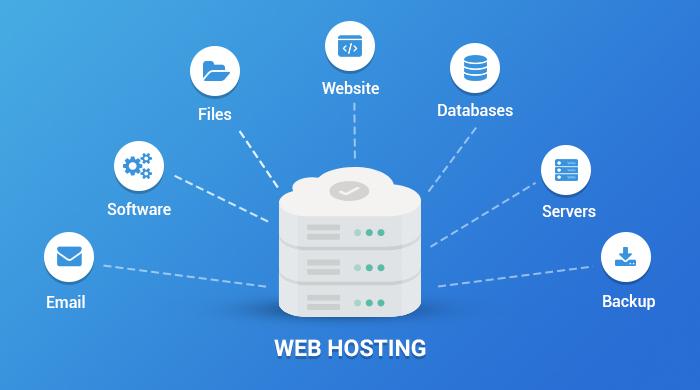
In the ever-evolving digital landscape, having a robust online presence is essential for individuals and businesses alike. If you’re looking to establish or enhance your website, choosing the right hosting software for your WordPress site is a crucial first step. With the myriad of options available, it can be overwhelming to determine which hosting solution will best meet your unique needs. From speed and reliability to customer support and scalability, there are several factors to consider. In this article, we’ll explore the key features of effective hosting software, compare popular hosting providers, and offer practical tips to help you make an informed decision that sets the foundation for your online success. Whether you’re launching a personal blog or a complex e-commerce platform, understanding how to select the best hosting software can significantly impact your site’s performance and user experience. Let’s dive in!
Table of Contents
- Understanding Your Hosting Needs for WordPress Optimization
- Exploring Different Types of Hosting Services: Shared, VPS, and Dedicated
- Key Features to Look for in WordPress Hosting Solutions
- Top Recommended Hosting Providers for Seamless WordPress Performance
- Wrapping Up
Understanding Your Hosting Needs for WordPress Optimization
When it comes to selecting the right hosting service for your WordPress site, it’s crucial to align your choice with your specific needs to ensure optimal performance. Consider the following factors that can significantly influence your site’s efficiency:
- Traffic Levels: Estimate your average and peak traffic to choose a plan that can handle high volumes without compromising speed.
- Website Type: Determine whether your site is a blog, e-commerce, or business site to select hosting that caters to its unique requirements.
- Resources: Identify the necessary CPU, RAM, and disk space that will support your website’s features.
- Scalability: Opt for a hosting service that allows easy upgrades as your site grows.
- Support and Maintenance: Ensure that your hosting provider has a responsive support team for any technical issues.
Additionally, understanding the different types of hosting available will guide your decision-making process:
| Type of Hosting | Description | Best For |
|---|---|---|
| Shared Hosting | Multiple websites share a single server’s resources. | Beginners and small blogs |
| VPS Hosting | A virtual dedicated server that offers better performance and flexibility. | Growing blogs and small-to-medium businesses |
| Managed WordPress Hosting | WordPress-specific servers optimized for performance and security. | Businesses focused on WordPress |
| Dedicated Hosting | Whole server allocated to a single website. | Large enterprises with high traffic demands |
Exploring Different Types of Hosting Services: Shared, VPS, and Dedicated
When considering hosting options for your WordPress site, it’s essential to understand the variety of services available to meet your specific needs. Shared hosting is often the go-to choice for beginners or small sites, as it offers an economical way of hosting multiple sites on a single server. This option is budget-friendly, making it a practical starting point. However, it comes with limitations such as shared resources, which can affect performance during peak traffic times. If you’re running a moderate traffic site or require more control, a Virtual Private Server (VPS) might be the right fit. VPS hosting provides dedicated resources within a shared environment, allowing for better performance and scalability while maintaining a more affordable price point than dedicated services.
For larger websites or those requiring maximum performance, dedicated hosting is the most robust option. This type of hosting assigns an entire server to your site, ensuring optimal speed, enhanced security, and full control over server configuration. Although it is generally more expensive, the benefits for high-traffic sites or e-commerce platforms can outweigh the costs. In addition to these options, consider the following factors when selecting your hosting service:
- Performance: Speed and uptime guarantees.
- Support: Quality of customer service and technical support.
- Scalability: Ability to upgrade quickly as your site grows.
- Security: Features like SSL certificates and malware protection.
| Hosting Type | Best For | Pros | Cons |
|---|---|---|---|
| Shared | Beginners, small sites | Cost-effective, easy setup | Limited resources, performance issues |
| VPS | Moderate traffic sites | Better control, scalable resources | More expensive than shared |
| Dedicated | High-traffic, large sites | Optimal performance, full control | High cost, complex management |
Key Features to Look for in WordPress Hosting Solutions
Choosing the right hosting solution can significantly impact your website’s performance and user experience. Here are some essential features to ensure that your WordPress site runs smoothly:
- Performance and Speed: Look for hosting providers that offer optimized servers specifically for WordPress. Features like SSD storage and CDN integration can drastically improve loading times.
- Scalability: Your hosting solution should be able to accommodate your site’s growth without any hassle. Ensure that the plan allows for easy upgrades as your traffic increases.
- Security Measures: A reputable host should provide robust security features, including SSL certificates, regular backups, and malware scanning to protect your data.
- Customer Support: 24/7 support is vital, ideally with WordPress-specific expertise, so you can get help whenever you encounter issues.
- Managed Services: Consider managed WordPress hosting which offers automatic updates, performance optimizations, and staging environments for testing changes before going live.
Additionally, it’s crucial to evaluate the pricing structures and any hidden costs associated with the hosting plans. A straightforward comparison can help you make an informed decision:
| Hosting Provider | Basic Plan Price | Key Features |
|---|---|---|
| Provider A | $5.99/month | Free SSL, daily backups, 24/7 support |
| Provider B | $3.95/month | 1-click installs, staging sites, malware protection |
| Provider C | $7.99/month | Optimized for speed, advanced security, expert support |
Top Recommended Hosting Providers for Seamless WordPress Performance
When it comes to optimizing your WordPress site, the choice of hosting provider plays a crucial role in ensuring seamless performance and reliability. Several hosting providers stand out in the crowded market, offering robust features tailored for WordPress users. Here are some top recommendations:
- SiteGround: Known for outstanding customer support and a user-friendly interface, SiteGround offers optimized WordPress hosting with fast loading times and automatic updates.
- Bluehost: Officially recommended by WordPress.org, Bluehost provides excellent uptime, a free domain for the first year, and easy one-click installations.
- WP Engine: A premium managed WordPress hosting solution, WP Engine focuses on speed and security, providing features like daily backups and staging environments.
- Kinsta: Built on Google Cloud Platform, Kinsta guarantees high performance, excellent scalability, and top-notch security measures, ideal for businesses that prioritize reliability.
To help you compare these hosting providers more effectively, here’s a brief overview of their key offerings:
| Provider | Performance | Support | Pricing |
|---|---|---|---|
| SiteGround | Fast & Reliable | 24/7 Live Chat | Starting at $3.99/month |
| Bluehost | Good Uptime | 24/7 Support | Starting at $2.95/month |
| WP Engine | Outstanding Speed | Premium Support | Starting at $20/month |
| Kinsta | High Scalability | Expert Support | Starting at $30/month |
Each of these providers has its unique strengths, and the right choice ultimately depends on your specific needs, whether it’s speed, support, scalability, or budget. By selecting one of these recommended hosting services, you’re taking a significant step towards ensuring a top-notch WordPress experience for your visitors.
Wrapping Up
As we conclude our exploration of choosing the best hosting software for your WordPress site, it’s clear that the right hosting solution can significantly impact your website’s performance, speed, security, and overall success. With numerous options available, it’s essential to assess your specific needs, budget, and scalability requirements.
Remember, investing time in thorough research and understanding the features and limitations of potential hosting providers will pay off in the long run. Prioritize hosting services that offer excellent customer support, reliable uptime, and flexibility to grow with your website.
Ultimately, whether you opt for shared hosting, VPS, or managed solutions, the key is to choose a hosting service that aligns with your goals and empowers you to create the WordPress site of your dreams. We hope this guide has provided valuable insights to help you make an informed decision. Thank you for joining us on this journey, and here’s to your future success with WordPress!