
Understanding RAID Storage: Essential for Dedicated Server Hosting
In the ever-evolving landscape of digital infrastructure, the reliability and performance of data storage solutions have never been more critical. For businesses leveraging dedicated server hosting, understanding RAID (Redundant Array of Independent Disks) storage is essential. RAID technology not only enhances data security but also optimizes performance, ensuring that your critical applications run smoothly and efficiently. In this article, we will delve into the fundamentals of RAID storage, explore its various configurations, and highlight its significance in maximizing uptime and safeguarding your data. Whether you’re an IT professional, a business owner, or simply curious about the inner workings of server technology, this guide will equip you with the knowledge needed to make informed decisions about your storage solutions. Join us as we unpack the complexities of RAID and demonstrate why it is a cornerstone of effective dedicated server hosting.
Table of Contents
- Understanding Different RAID Levels and Their Benefits for Server Performance
- Key Considerations for Choosing the Right RAID Configuration for Your Needs
- Implementing RAID: Best Practices for Setup and Maintenance
- Troubleshooting Common RAID Issues in Dedicated Server Environments
- In Summary
Understanding Different RAID Levels and Their Benefits for Server Performance
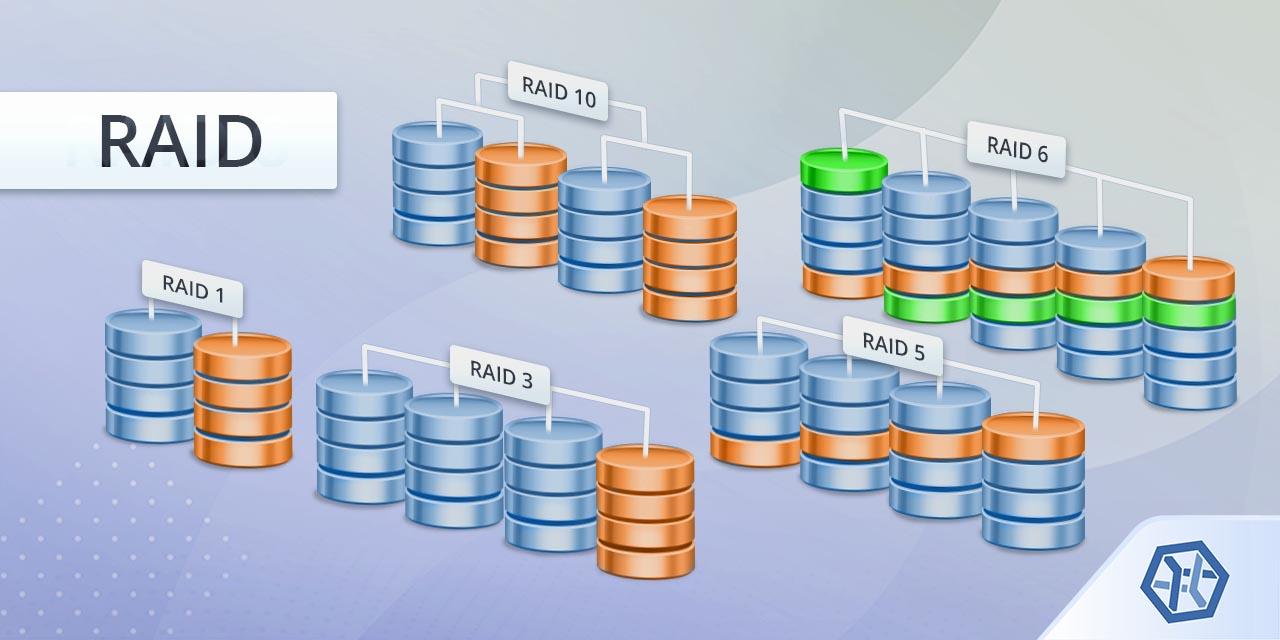
When considering storage solutions for server hosting, understanding the various RAID (Redundant Array of Independent Disks) levels is vital. Each RAID configuration offers unique advantages regarding data redundancy, speed, and performance optimization. The most common levels include RAID 0, RAID 1, RAID 5, and RAID 10, each catering to different operational needs. With RAID 0, data is striped across multiple disks, enhancing performance but lacking redundancy. Conversely, RAID 1 mirrors data on two disks, providing excellent data security. RAID 5 combines striping with parity information distributed across disks, ensuring a balance between redundancy and performance. Lastly, RAID 10 (or 1+0) combines the benefits of RAID 1 and RAID 0, delivering both speed and resilience by mirroring striped sets.
Choosing the right RAID level can significantly affect your server’s performance and reliability. Servers that handle a high volume of transactions typically benefit from the speed of RAID 0 or RAID 10, allowing them to process data quickly and efficiently. On the other hand, organizations that prioritize data integrity and availability may prefer RAID 1 or RAID 5, as these configurations can protect against disk failures. Below is a comparison of the key RAID levels with their primary benefits:
| RAID Level | Key Features | Best Uses |
|---|---|---|
| RAID 0 | Data striping, no redundancy | High-performance applications |
| RAID 1 | Data mirroring | Critical data storage |
| RAID 5 | Striping with parity | General-purpose servers |
| RAID 10 | Striping of mirrored sets | High availability systems |
Key Considerations for Choosing the Right RAID Configuration for Your Needs
When selecting a RAID configuration, it’s crucial to assess your performance requirements in conjunction with your data security needs. RAID levels vary significantly in terms of speed and redundancy. For instance, RAID 0 offers high performance with no redundancy, making it suitable for applications where speed is paramount and data loss is an acceptable risk. In contrast, RAID 5 and RAID 6 provide better data protection through parity, which allows for recovery in case of a single or double disk failure. Carefully evaluate your workloads to determine whether your priority lies in accessing data quickly or ensuring its safety.
Additionally, consider your budget and scalability needs. Each RAID level involves different costs, both in terms of hardware and maintenance. Cost-effective options like RAID 1 (mirroring) and RAID 10 (striping with mirroring) combine redundancy and performance but require a higher initial investment due to the need for multiple disks. If you anticipate future growth, select a RAID configuration that is easily scalable. This might involve more expensive setups at the outset, but they will help avoid costly migrations and downtime as your storage demands increase. Here’s a table to illustrate the trade-offs between some commonly used RAID levels:
| RAID Level | Performance | Redundancy | Recommended Use Case |
|---|---|---|---|
| RAID 0 | High | No | High-speed applications |
| RAID 1 | Moderate | Yes | Strong data protection |
| RAID 5 | Moderate | Yes (single disk fault tolerant) | File servers requiring redundancy |
| RAID 6 | Moderate | Yes (double disk fault tolerant) | Critical data storage |
| RAID 10 | High | Yes | High performance with redundancy |
Implementing RAID: Best Practices for Setup and Maintenance
When implementing RAID in a dedicated server environment, it’s crucial to follow best practices to ensure optimal performance and data safety. Start by selecting the right RAID level based on your specific needs. For instance, RAID 1 offers redundancy through mirroring, while RAID 5 combines both data protection and efficient storage usage by using striping and parity. Consider factors such as performance requirements, storage capacity, and cost before committing to a RAID configuration. Additionally, ensure that the chosen RAID controller supports the selected level; hardware RAID often provides better performance and reliability than software RAID solutions.
Regular maintenance is also pivotal in maximizing RAID benefits. Schedule routine checks to monitor the health of your drives, as early detection of potential failures can prevent catastrophic data loss. Some effective maintenance tips include:
- Use monitoring tools to track drive status and performance metrics.
- Replace failing drives promptly to avoid unexpected downtimes.
- Test backups regularly to ensure that recovery processes are effective.
- Keep firmware up-to-date for enhanced performance and security.
Additionally, consider implementing a backup strategy that includes offsite data replication or cloud services to ensure additional data protection. A well-maintained RAID setup can significantly enhance the reliability of your dedicated server, making it an essential component of your hosting infrastructure.
Troubleshooting Common RAID Issues in Dedicated Server Environments
When managing RAID configurations in dedicated server environments, encountering problems is not uncommon. One of the most frequent issues is degraded performance, often resulting from a failing disk in the RAID set. To address this, regularly monitor disk health using tools like SMART. If you notice that a disk’s status is failing, it’s crucial to replace it as soon as possible to prevent data loss and restore optimal performance. Additionally, ensure that all firmware and software related to your RAID are up-to-date; outdated drivers can lead to compatibility issues and reduce overall efficiency.
Another common hurdle is array rebuilding errors, particularly after replacing a faulty drive. These errors can stem from various causes, including bad sectors on the remaining drives or an unsupported drive size. It’s advisable to maintain a backup strategy that includes regular snapshots of your data. If you encounter rebuilding failures, first verify the integrity of the remaining drives. You can do this by running diagnostic tests. If the problem persists, consider using alternative RAID levels or configurations that offer better redundancy tailored to your specific needs. Implementing proactive measures will ultimately ensure your RAID setup remains robust and reliable.
In Summary
understanding RAID storage is not just an optional component of dedicated server hosting—it’s a fundamental aspect that can significantly impact your server’s performance, reliability, and data integrity. Whether you’re running a small business, managing a large enterprise, or anything in between, implementing the right RAID configuration is crucial for safeguarding your data and ensuring optimal uptime. By taking the time to evaluate your storage needs and selecting the appropriate RAID level, you’ll be well-equipped to enhance the functionality of your dedicated server and support your long-term goals.
As technology continues to advance and data demands grow, the role of RAID in your server infrastructure will only become more critical. We encourage you to stay informed about the latest developments in storage technologies and best practices. This proactive approach will not only empower you to make informed decisions but also equip you to face the challenges of today’s fast-paced digital landscape.
Thank you for reading! We hope this article has provided valuable insights into RAID storage and its significance in dedicated server hosting. Feel free to reach out with any questions or to share your experiences. Happy hosting!