
Step-by-Step Guide to Set Up a VPN on Any Device
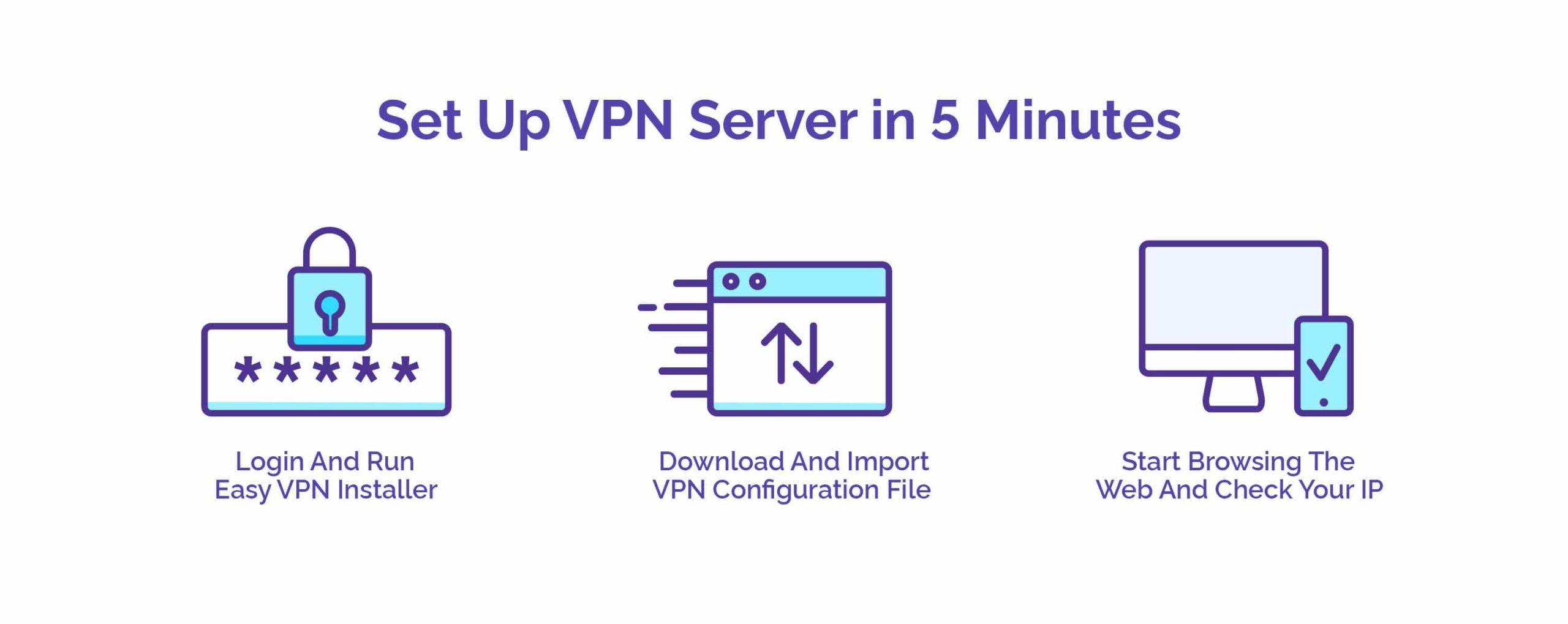
In an increasingly interconnected world, safeguarding your online privacy and security has never been more critical. Whether you frequently browse the internet, engage in online banking, or simply want more peace of mind while streaming your favorite content, a Virtual Private Network (VPN) is an essential tool that can protect your personal information from prying eyes. However, the process of setting up a VPN can feel daunting, especially with the plethora of options available across various devices.
In this comprehensive step-by-step guide, we’ll demystify the VPN setup process, making it accessible to users of all experience levels. From smartphones and tablets to laptops and smart TVs, we’ll walk you through the installation and configuration steps for each device type, ensuring that you can enjoy the benefits of a secure and private browsing experience. Get ready to take control of your online presence and enhance your digital security as we explore the straightforward methods to set up a VPN on any device you own.
Table of Contents
- Understanding VPN Technology and Its Importance
- Choosing the Right VPN Service Provider
- Setting Up a VPN on Different Devices
- Troubleshooting Common VPN Issues and Optimizing Your Experience
- The Way Forward
Understanding VPN Technology and Its Importance
Virtual Private Network (VPN) technology has become an essential tool for safeguarding online privacy and enhancing security in today’s interconnected digital landscape. By establishing a secure, encrypted connection between your device and a remote server, VPNs protect your sensitive information from potential cyber threats and prying eyes. Whenever you connect to the internet through a VPN, your data is encapsulated and transmitted through a secure tunnel, making it virtually impossible for hackers, ISPs, or governmental entities to intercept or monitor your online activities. This level of data protection is particularly critical when accessing public Wi-Fi networks, where the risk of data breaches is significantly heightened.
Furthermore, the importance of VPNs extends beyond mere security. VPNs provide users with the ability to access restricted content by masking their IP addresses and allowing them to appear as if they are browsing from a different location. This capability is especially useful for navigating geo-blocked content on streaming platforms or accessing websites unavailable in certain countries. Consider the following advantages of utilizing a VPN:
- Enhanced Privacy: Protects personal data from third-party tracking.
- Improved Security: Encrypts internet connections to prevent data theft.
- Access to Global Content: Bypasses regional restrictions for streaming services.
For those planning to set up a VPN, understanding its fundamental workings not only simplifies the installation process but also empowers users to make informed decisions about the providers and configurations best suited for their needs. As VPN technology continues to evolve, its role in protecting personal privacy and ensuring secure internet access cannot be overstated.
Choosing the Right VPN Service Provider
When selecting a VPN service provider, it’s crucial to assess your specific needs and how each service aligns with them. Key factors to consider include:
- Privacy Policy: Review the provider’s logging policy to ensure they don’t track your online activities.
- Server Locations: Check for a diverse range of servers to access geographically restricted content.
- Connection Speeds: Evaluate speed performance through third-party reviews to ensure a seamless browsing experience.
- Compatibility: Ensure the VPN supports all of your devices and operating systems.
- Customer Support: Look for responsive customer service options, such as live chat or 24/7 support.
Additionally, consider the overall pricing structure and any available features that could enhance your experience. Many reputable VPN providers offer:
- Money-Back Guarantees: Test the service risk-free for a limited time.
- Simultaneous Connections: Multiple device connections can be a convenience if you have various gadgets.
- Advanced Security Features: Options like kill switches and DNS leak protection enhance your online safety.
Setting Up a VPN on Different Devices
Setting up a VPN can greatly enhance your online security and privacy, but the process varies by device. To begin with, Windows and macOS users have built-in VPN clients they can utilize. For Windows, navigate to Settings → Network & Internet → VPN. From there, you can click on Add a VPN connection. For macOS, go to System Preferences → Network and click the plus icon to create a new VPN configuration. Always remember to input your VPN provider’s information correctly, including the server address, type of VPN, and your authentication method.
Mobile users can easily set up a VPN on both iOS and Android devices. On iOS, head to Settings → General → VPN and select Add VPN Configuration. Make sure to fill in the necessary details provided by your VPN service. In contrast, Android users can find VPN settings under Settings → Network & internet → VPN. Tap on Add VPN and fill out the required fields. It’s worth noting that many VPN providers also offer dedicated applications for easy installation and management of connections across all platforms.
Troubleshooting Common VPN Issues and Optimizing Your Experience
Experiencing issues while using a VPN can be frustrating, but many common problems have straightforward solutions. First, ensure that you have a stable internet connection before attempting to connect to your VPN. If the connection fails, try switching servers, as some may be overloaded or experiencing downtime. Additionally, make sure that your VPN client is up to date, as software updates often contain important bug fixes and enhancements. Consider the following troubleshooting tips:
- Check your internet speed: Run a speed test to determine if your VPN is the bottleneck.
- Firewall settings: Ensure that your firewall or antivirus isn’t blocking your VPN.
- Correct login credentials: Verify that the username and password you’re using are accurate.
- Protocol settings: Experiment with different VPN protocols, such as OpenVPN, IKEv2, or PPTP, if available.
To optimize your VPN experience further, consider adjusting certain settings within your VPN application. Using features such as split tunneling can enhance performance by allowing specific traffic to bypass the VPN, which is particularly useful for activities that don’t require encryption, like streaming or browsing local content. Moreover, check for additional features like a kill switch, which can protect your data by disconnecting your internet if the VPN connection drops. Here’s a quick comparison of common settings that can influence your VPN performance:
| Setting | Description | Impact on Performance |
|---|---|---|
| Split Tunneling | Routes specific traffic outside the VPN. | Improves speeds for non-sensitive activities. |
| Obfuscation | Makes VPN traffic look like regular traffic. | May reduce speed slightly; improves privacy. |
| Protocol Selection | Choose between different encryption methods. | Faster speeds with weaker encryption; secure with strong protocols. |
The Way Forward
setting up a VPN on any device is a straightforward process that can significantly enhance your online privacy and security. By following the step-by-step guide outlined in this article, you can easily navigate through the installation and configuration of a VPN that suits your needs, whether it’s on your laptop, smartphone, or smart TV. Remember that the digital landscape is ever-evolving, and maintaining your online safety is paramount.
Equipped with your new VPN, you can browse the internet with greater confidence, access geo-restricted content, and secure your personal information from unwanted eyes. If you encounter any challenges along the way, don’t hesitate to refer back to this guide, as well as the official support resources provided by your VPN provider.
Thank you for reading! We hope you found this guide helpful and that it empowers you to take control of your online presence. Stay secure, stay informed, and happy browsing!