
Mastering Secure File Sharing with a VPN: A Complete Guide
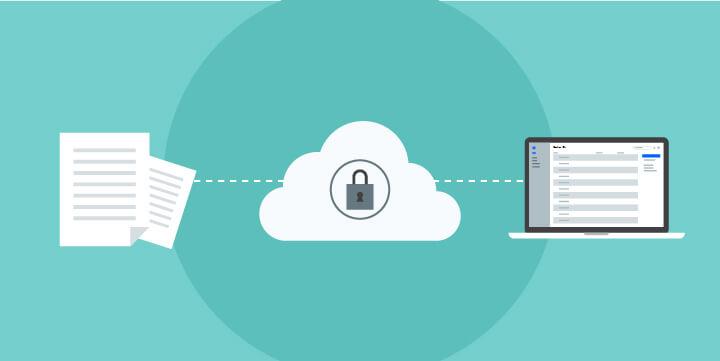
In today’s digital landscape, where data breaches and cyber threats are ever-present, secure file sharing has become a critical concern for individuals and organizations alike. With the increasing reliance on remote work and cloud-based services, the urgency to protect sensitive information while facilitating seamless collaboration has never been greater. This is where Virtual Private Networks (VPNs) come into play. By encrypting your internet connection and masking your IP address, a VPN offers a powerful layer of security for file transfers, safeguarding your data from prying eyes. In this comprehensive guide, we will explore the intricacies of mastering secure file sharing using a VPN. From understanding how a VPN enhances security to practical tips for choosing the right service and implementing best practices, we’ll equip you with the knowledge needed to protect your files while communicating effectively in an increasingly interconnected world. Whether you’re a business professional, a remote worker, or simply someone who values their privacy, this guide will serve as your roadmap to secure file sharing in the digital age.
Table of Contents
- Understanding the Importance of Secure File Sharing in the Digital Age
- Key Features of a VPN That Enhance File Sharing Security
- Step-by-Step Guide to Setting Up a VPN for Secure File Transfers
- Best Practices for Maintaining Privacy and Security While Sharing Files
- Future Outlook
Understanding the Importance of Secure File Sharing in the Digital Age
In today’s interconnected world, the seamless exchange of files has become a cornerstone of collaboration. However, with increasing incidents of data breaches and cyber threats, the need for secure file sharing has never been more critical. Utilizing secure methods not only protects sensitive information from unauthorized access but also builds trust with clients and partners. There are several key benefits to implementing robust security measures for file sharing, such as:
- Data Integrity: Ensures that files are not altered during transmission.
- Confidentiality: Guarantees that sensitive information remains private and is only accessible to authorized users.
- Compliance: Helps organizations meet legal and regulatory requirements regarding data protection.
As organizations increasingly rely on cloud storage and remote access, the complexities of secure file sharing grow. Leveraging technologies like VPNs can significantly enhance file security by encrypting data transfers and masking user identities. This not only minimizes the risks associated with public Wi-Fi networks but also provides an additional layer of protection against potential cyber threats. To illustrate the effectiveness of VPNs in file sharing, consider the following benefits:
| Benefit | Description |
|---|---|
| Encryption | Protects your data from being intercepted during transit. |
| Access Control | Limits file access to trusted users only. |
| Location Flexibility | Navigates geo-restrictions for global access to files. |
Key Features of a VPN That Enhance File Sharing Security
Utilizing a VPN for file sharing not only cushions your data but also fortifies your digital fortress against unauthorized access. One of the premier features is encryption, which transforms your data into an unreadable format for anyone trying to intercept it. This means that even if a cybercriminal manages to access the files you’re sharing, they will be unable to decipher their contents. In addition, VPNs provide IP masking, concealing your true location and enhancing your privacy. This ensures that your online activities remain anonymous and protects you from being tracked by malicious entities.
Another vital feature is the no-logs policy offered by many reputable VPN providers. This guarantees that your file-sharing activities are not stored or monitored, adding an extra layer of security and peace of mind. Moreover, multi-device support allows seamless file sharing across multiple platforms—whether you’re on your laptop, smartphone, or tablet, you can enjoy secure access wherever you go. Additional functionalities, such as kill switch technology, ensure that your internet connection is instantly severed if the VPN connection drops, preventing any accidental exposure of your sensitive data.
Step-by-Step Guide to Setting Up a VPN for Secure File Transfers
To begin your journey toward secure file transfers using a VPN, the first step is to select a reputable VPN provider. Look for services that offer strong encryption protocols, a no-logs policy, and fast connection speeds. A few popular options include:
- NordVPN – Known for its robust security features and large server network.
- ExpressVPN – Offers high-speed connections and excellent customer support.
- CyberGhost – User-friendly interface and specialized servers for file sharing.
Once you have chosen a VPN provider, the next step involves installing the VPN software on your device. Follow these simple guidelines:
- Download the VPN application from the official website or the app store.
- Install the application by following the provided instructions.
- Open the app and log in using your account credentials.
- Choose a server location that suits your needs, preferably one close to your location for better speed.
Now that your VPN is set up, you are ready to transfer files securely. Ensure that you are connected to the VPN before initiating any file transfer to protect your data from potential threats.
Best Practices for Maintaining Privacy and Security While Sharing Files
When sharing files, it’s crucial to adopt a proactive approach to privacy and security. Always encrypt files before sharing them, utilizing software that offers strong encryption standards. This ensures that even if files are intercepted, they remain unreadable without the correct decryption key. Additionally, use secure file-sharing platforms that provide end-to-end encryption and robust authentication methods. Opt for services that offer link expiration features, so shared links become inactive after a specified period, reducing the risk of unauthorized access.
It’s also wise to implement access controls when sharing sensitive documents. Define who can view or edit the files and utilize tools that allow you to monitor access logs. Regularly update passwords and utilize multi-factor authentication for added security. Consider a regular review of your security practices to ensure they align with current best practices. This vigilance not only safeguards your data but also builds trust with those you are sharing files with.
Future Outlook
mastering secure file sharing through the utilization of a Virtual Private Network (VPN) is not only a step towards enhancing your digital privacy but also a necessity in today’s interconnected world. By leveraging the robust encryption and secure connections that VPNs provide, you can confidently share sensitive documents, collaborate with colleagues, and protect your data from potential cyber threats.
As you implement the strategies outlined in this guide, remember that security in the digital age is an ongoing process. Regularly update your VPN software, stay informed about new security features, and educate yourself on best practices for safe file sharing.
With the right tools and knowledge, you can navigate the complexities of online communication securely. Embrace these measures, and ensure that your file sharing is not only efficient but also secure. Thank you for taking the time to read our complete guide – here’s to safer sharing!