
Exploring Virtualization’s Impact on Dedicated Server Performance
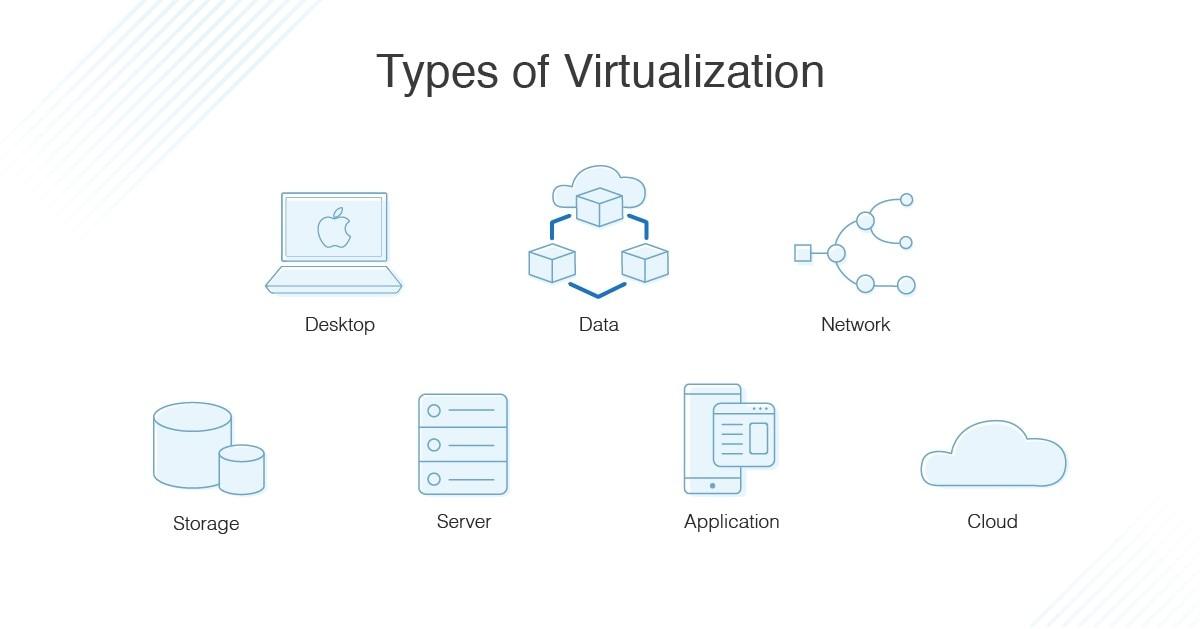
In the dynamic landscape of IT infrastructure, virtualization has emerged as a transformative technology that reshapes how businesses deploy and manage their resources. As organizations increasingly turn to dedicated servers for their demands—ranging from hosting websites to running critical applications—the interactive relationship between virtualization and server performance has become a focal point for IT decision-makers. In this article, we will delve into the nuances of virtualization and its intricate influence on dedicated server performance. We’ll explore how virtualization optimizes resource allocation, improves scalability, and addresses challenges such as downtime and hardware limitations. Join us as we navigate the complexities of this powerful technology and uncover insights that can help maximize the efficiency and effectiveness of dedicated servers in your operational environment.
Table of Contents
- Understanding Virtualization Technology and Its Mechanisms
- Analyzing Performance Metrics: Comparing Dedicated Servers with Virtualized Environments
- Identifying Common Challenges in Virtualized Server Performance
- Best Practices for Optimizing Dedicated Server Efficiency in Virtualized Settings
- In Retrospect
Understanding Virtualization Technology and Its Mechanisms
Virtualization technology has transformed the way resources are utilized within IT infrastructures, specifically by enabling multiple operating systems to run on a single physical server. This is accomplished through the use of a hypervisor, which acts as an intermediary between the hardware and the virtual machines (VMs). By creating an abstraction layer, virtualization facilitates efficient resource allocation, allowing for the dynamic distribution of CPU, memory, and storage among virtual instances. Key benefits include:
- Increased Resource Utilization: By running several VMs on one server, businesses can maximize their hardware capabilities.
- Cost Efficiency: Reduced need for physical servers leads to lower energy and management costs.
- Scalability: Resources can be allocated or deallocated based on demand, ensuring optimal performance during peak times.
Understanding the underlying mechanisms of virtualization can help organizations leverage its full potential. Types of virtualization, such as full, para, and hardware-assisted virtualization, each have their strengths depending on the specific requirements of the infrastructure. Selecting the right approach can significantly influence dedicated server performance. Consider the table below for a quick overview of different virtualization types:
| Type of Virtualization | Description | Ideal Use Case |
|---|---|---|
| Full Virtualization | Simulates the complete hardware environment for each VM. | Running unmodified guest OS. |
| Paravirtualization | Requires guest OS to be modified to communicate with the hypervisor. | Optimized performance where guest OS modifications are feasible. |
| Hardware-Assisted Virtualization | Utilizes hardware extensions (e.g., Intel VT or AMD-V) to improve performance. | Best for high-performance computing needs. |
Analyzing Performance Metrics: Comparing Dedicated Servers with Virtualized Environments
Performance metrics are crucial for understanding how well a server environment is functioning, especially when comparing dedicated servers to virtualized environments. In dedicated server setups, resources such as CPU, RAM, and storage are allocated solely to a single user or application, which often leads to optimal performance. Key metrics to consider include:
- Response Time: The time taken to process requests can be significantly lower on dedicated servers.
- Uptime: Dedicated solutions frequently boast higher uptime percentages, eliminating the risk of resource contention.
- Throughput: Unrestricted resource access enhances data transfer rates, particularly crucial for bandwidth-heavy applications.
On the other hand, virtualized environments offer flexibility and efficient resource management, but may exhibit varied performance outcomes. Factors impacting performance metrics in virtualized environments include hypervisor overhead and shared resources. To illustrate the differences in performance, consider the following table:
| Metric | Dedicated Servers | Virtualized Environments |
|---|---|---|
| Average Response Time | 25 ms | 50 ms |
| Uptime | 99.99% | 99.90% |
| Max Throughput | 1 Gbps | 800 Mbps |
This comparative analysis reveals that while virtualized environments can provide cost-effective solutions for many use cases, dedicated servers typically deliver superior performance for demanding applications. Understanding these differences is essential for businesses when deciding on the most suitable server architecture for their operational needs.
Identifying Common Challenges in Virtualized Server Performance
In the realm of virtualization, several challenges can compromise the performance of dedicated servers, impacting both efficiency and resource allocation. One of the most significant issues is resource contention, where multiple virtual machines (VMs) compete for limited physical resources. This competition often leads to performance bottlenecks, resulting in sluggish applications and increased latency. Additionally, the complexity of managing virtual infrastructures can lead to misconfigurations that hinder server performance. Common missteps include improper allocation of CPU and memory resources, which can exacerbate performance issues across all hosted applications.
Another challenge is overhead created by the hypervisor layer, which can consume valuable compute resources. Each VM requires processing power to manage the virtualization layer, which can divert resources away from the actual workloads. This is particularly evident in environments where numerous VMs are crammed onto a single host. To alleviate these challenges, organizations can adopt various strategies, such as:
- Resource Monitoring: Regularly monitor resource usage and performance metrics.
- Load Balancing: Implement load balancing techniques to optimize resource distribution.
- Optimized Configurations: Fine-tune VM configurations based on workload requirements.
To further illustrate the varying impacts of virtualization on performance, consider the following comparison:
| Performance Metric | Dedicated Server | Virtualized Server |
|---|---|---|
| CPU Utilization | High efficiency, direct resource access | Variable, dependent on VM configurations |
| Memory Allocation | Static, predictable performance | Dynamically managed, potential for contention |
| Response Time | Minimal latency | Increased due to hypervisor overhead |
Best Practices for Optimizing Dedicated Server Efficiency in Virtualized Settings
To maximize the efficiency of dedicated servers in a virtualized environment, it’s crucial to adopt a systematic approach that prioritizes resource allocation and management. One effective strategy involves implementing load balancing techniques that distribute workloads evenly across multiple virtual machines. This not only ensures optimal resource usage but also minimizes the risk of server overload. Additionally, monitoring tools can provide insights into performance metrics, allowing administrators to adjust configurations in real time. Other best practices include:
- Regularly updating virtualization software to benefit from performance enhancements and security patches.
- Isolating high-resource applications to dedicated virtual machines to prevent contention with other workloads.
- Utilizing storage solutions optimized for virtual environments, such as SSDs, for quicker data access and improved I/O performance.
An effective way to track and analyze server performance is through the use of analytics and reporting tools. By maintaining a clear overview of resource usage patterns and trends, organizations can make data-driven decisions that enhance server performance. Here’s a brief example of key performance indicators to monitor:
| Indicator | Description |
|---|---|
| CPU Utilization | Percentage of CPU capacity currently in use. |
| Memory Usage | Amount of RAM utilized by the virtual machines. |
| Disk I/O | Rate of data read/written by the storage subsystem. |
| Network Throughput | Volume of data transmitted over the network. |
By adhering to these practices, organizations can significantly enhance the performance and reliability of their dedicated servers in a virtualized setting. Implementing these measures not only fosters a more robust IT infrastructure but also prepares businesses to scale efficiently as their needs evolve.
In Retrospect
the exploration of virtualization’s impact on dedicated server performance reveals a nuanced landscape where technology and efficiency intersect. As organizations increasingly gravitate towards virtualized environments, understanding the balance between performance and resource allocation becomes crucial. By leveraging virtualization technologies effectively, businesses can optimize their dedicated server infrastructure, ensuring that they harness scalability, reliability, and cost-effectiveness without compromising on performance.
As the industry continues to evolve, staying informed about the latest advancements in virtualization will empower decision-makers to make strategic choices that align with their operational goals. Whether you’re looking to expand your existing infrastructure or contemplating a shift to virtualization, it’s essential to evaluate how these technologies can enhance your server performance and meet the demands of today’s dynamic digital landscape.
Thank you for joining us on this journey into the world of virtualization and dedicated servers. We hope this article has provided valuable insights and equipped you with the knowledge to navigate this rapidly changing domain. Stay tuned for more discussions and expert advice as we continue to explore the technological innovations shaping the future of IT infrastructure.