
Essential Guide to Shared Hosting for Your Blog
Are you ready to kickstart your blogging journey but feeling overwhelmed by the myriad of hosting options available? Look no further! In this essential guide to shared hosting for your blog, we’ll break down everything you need to know to make an informed decision. Shared hosting is often the first step for novice bloggers and small business owners, offering an affordable, user-friendly solution without sacrificing essential features. Whether you’re launching a personal diary, a niche website, or a business blog, understanding the ins and outs of shared hosting is crucial for ensuring your site runs smoothly from day one. Join us as we explore the benefits, potential pitfalls, and best practices to help you choose the right shared hosting plan for your unique needs. Let’s turn your blogging dreams into reality!
Table of Contents
- Understanding Shared Hosting and Its Advantages for Bloggers
- Key Features to Look for in a Reliable Shared Hosting Provider
- Optimizing Your Blogs Performance on Shared Hosting Platforms
- Essential Maintenance Tips for a Successful Shared Hosting Experience
- To Conclude
Understanding Shared Hosting and Its Advantages for Bloggers
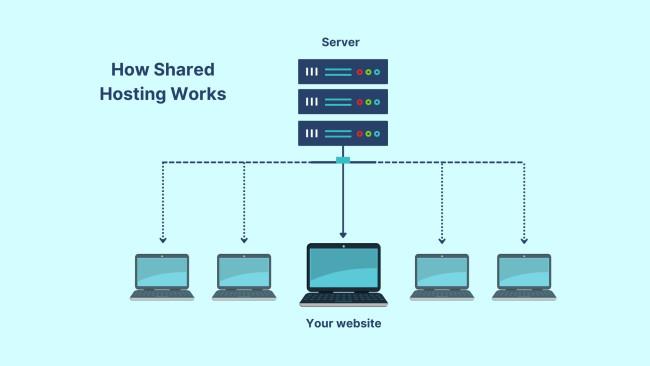
Shared hosting is a popular choice for bloggers due to its cost-effectiveness and user-friendly setup. In this hosting model, multiple websites are housed on a single server, allowing users to share resources like bandwidth and storage. This not only reduces costs but also simplifies management, making it ideal for newcomers who aren’t yet familiar with complex server configurations. Thanks to its affordability, many bloggers can launch their sites without breaking the bank, enabling them to allocate funds toward content creation and marketing instead.
Moreover, shared hosting typically comes with a set of features designed to enhance the blogging experience. These may include:
- One-click installations: Simplifies the setup process for popular CMS platforms like WordPress.
- 24/7 customer support: Allows users to resolve technical issues swiftly, ensuring minimal downtime.
- Email accounts: Provides professional-looking email addresses associated with your domain.
- Control panels: UI dashboards that make managing your site and settings straightforward.
All these perks combine to create an accessible environment for both novice and seasoned bloggers, allowing them to focus on what they do best—writing and engaging with their audience.
Key Features to Look for in a Reliable Shared Hosting Provider
When selecting a shared hosting provider for your blog, it’s crucial to consider the performance of their services. Opt for providers that guarantee 99.9% uptime, ensuring your site is accessible to visitors most of the time. Look for those that utilize SSD storage for faster data retrieval, which leads to quicker load times — essential for user experience and SEO. Additionally, you should inquire about their scalability options, as your blog may grow in traffic over time, necessitating an easy upgrade path without significant hassle.
Another important aspect is customer support. A reliable provider should offer 24/7 assistance through various channels, such as live chat, phone, and email. Quick response times are vital when issues arise, so check for hosting services with a solid reputation for customer service. Also, consider the security features they provide. Look for offerings such as SSL certificates, daily backups, and DDoS protection to ensure that your blog and its data remain secure against various threats. Selecting a host with these features can lead to a stress-free blogging experience.
Optimizing Your Blogs Performance on Shared Hosting Platforms
To maximize the performance of your blog on shared hosting platforms, it’s essential to implement a few key strategies. Optimize your images by compressing them without losing quality, which can significantly reduce loading times. Furthermore, leveraging caching mechanisms, such as WP Super Cache or W3 Total Cache, can improve the speed at which your pages load. Additionally, consider minimizing HTTP requests by combining CSS and JavaScript files, which not only enhances speed but also reduces server load.
Another important aspect is database management. Regularly cleaning up your database by removing unnecessary plugins and optimizing tables can keep your blog running smoothly. Consider implementing a Content Delivery Network (CDN) to distribute your content across various servers, which helps decrease load times for visitors located far from the main server. Below is a simple table highlighting the essential plugins and tools for optimizing your blog performance:
| Tool/Plugin | Purpose |
|---|---|
| WP Super Cache | Caching for faster load times |
| Smush | Image compression and optimization |
| Yoast SEO | SEO optimization for better visibility |
| WP-Optimize | Database cleanup and optimization |
| Cloudflare | CDN with security features |
Essential Maintenance Tips for a Successful Shared Hosting Experience
To ensure a seamless shared hosting experience, regular maintenance is key. Start by monitoring your website’s performance consistently; tools like Google PageSpeed Insights can provide valuable insights on speed and optimization. It’s also essential to keep your site updated, including your core platform and any plugins or themes. Neglecting updates can lead to security vulnerabilities and degraded performance. Consider scheduling regular backups as well to safeguard your data. This will make recovery easier in case of any mishaps.
In addition to technical upkeep, engaging with your hosting provider is crucial. They can offer insights into resource usage and potential improvements. Familiarize yourself with your hosting control panel to efficiently manage your site; knowing where to find settings related to databases, email, and file management can save time and resolve issues faster. Here are some important tasks to include in your maintenance routine:
- Regularly check for software updates.
- Audit your plugins for compatibility and performance.
- Delete unused files and themes.
- Monitor server uptime and response times.
Below is a simple checklist to help you stay organized:
| Maintenance Task | Frequency |
|---|---|
| Backup Website | Weekly |
| Update Software | Monthly |
| Review Security Settings | Bi-Monthly |
| Analyze Performance | Quarterly |
To Conclude
navigating the world of shared hosting can seem daunting, especially when you’re launching or managing a blog. However, with the right knowledge and tools at your disposal, you can select a hosting solution that meets your needs, supports your growth, and enhances the overall performance of your site. Remember to evaluate important factors such as uptime reliability, customer support, and scalability to ensure a smooth blogging experience. As you embark on this exciting journey, keep in mind that the right shared hosting service not only provides the foundation for your blog but also contributes significantly to your success.
We hope this essential guide empowers you to make informed decisions and confidently choose a shared hosting provider tailored to your unique needs. Happy blogging, and may your online presence flourish! If you have any questions or experiences to share, feel free to drop a comment below—we’d love to hear from you!