
Effective VPN Solutions for Navigating Workplace Firewalls
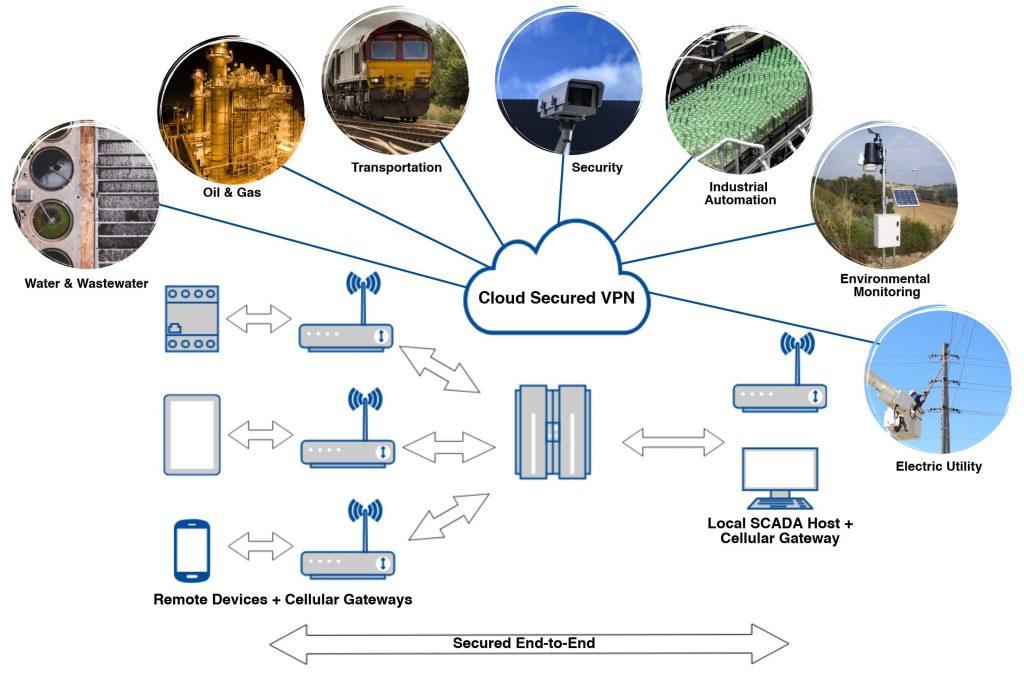
In today’s fast-paced digital landscape, remote work has become the norm for many organizations, leading to a surge in the use of Virtual Private Networks (VPNs). As employees navigate the complexities of workplace firewalls, the importance of secure, efficient, and effective VPN solutions cannot be overstated. A well-chosen VPN not only facilitates access to essential resources but also safeguards sensitive data from potential cyber threats. In this article, we will explore the best VPN solutions tailored for navigating workplace firewalls, evaluating their features, performance, and security protocols. Whether you’re an IT professional tasked with enhancing your organization’s network security or a remote worker striving for seamless connectivity, our insights will equip you with the knowledge to make informed decisions. Let’s dive into the world of effective VPN strategies and discover how they can empower you to work securely and efficiently, no matter where you are.
Table of Contents
- Understanding Workplace Firewalls and Their Implications on Remote Access
- Key Features to Look for in a VPN Solution for Workplace Security
- Top VPN Solutions for Seamless Connectivity Without Compromising Security
- Best Practices for Implementing VPNs in a Corporate Environment
- In Retrospect
Understanding Workplace Firewalls and Their Implications on Remote Access
Workplace firewalls serve as essential security barriers that regulate incoming and outgoing network traffic, ensuring that sensitive data remains protected from unauthorized access. These systems utilize a set of predetermined security rules to monitor and filter traffic, which can sometimes impede remote access for employees. When workers attempt to connect from outside the corporate network, they may face restrictions imposed by these firewalls, which are designed to prevent potential threats. Understanding how firewalls operate is crucial for developing effective strategies that allow secure remote access while maintaining the integrity of corporate data.
To navigate these challenges, organizations often deploy VPNs (Virtual Private Networks) that create a secure tunnel for data transmission. With a VPN, remote users can effectively bypass firewall restrictions while ensuring that their connections are encrypted and secure. Here are some key features to consider when evaluating VPN solutions for remote access:
- Encryption Protocols: Look for VPNs that offer advanced encryption methods like AES-256 to secure data in transit.
- User Authentication: Multi-factor authentication provides an additional layer of security before granting access.
- Compatibility: Ensure that the VPN solution is compatible with various devices and operating systems.
- Scalability: Choose a VPN that can grow with your organization’s needs without compromising performance.
Implementing the right VPN solution can significantly enhance both the functionality and security of remote access, allowing organizations to maintain robust protective measures while accommodating flexible work environments.
Key Features to Look for in a VPN Solution for Workplace Security
Choosing the right VPN solution for workplace security involves several critical features that ensure robust protection against cyber threats while facilitating smooth connectivity. Encryption standards should be a top priority; look for a VPN that employs AES-256 encryption as this is the gold standard in data protection. Additionally, speed and bandwidth are vital, especially if your team engages in bandwidth-heavy tasks. A VPN should offer unlimited bandwidth and a broad selection of servers to ensure optimal performance. Furthermore, it’s important to check for multi-device support, allowing employees to connect securely from various devices, whether they are working from home or on the go.
Another key aspect to consider is no-logs policy, which ensures that the VPN provider does not store user activity logs, thus enhancing your organization’s privacy. Look for providers that have undergone third-party audits to verify their claims. Additionally, features such as split tunneling can be beneficial, letting users choose which applications to run through the VPN, thereby improving speed and user experience. Kill switch functionality is also a must, as it halts internet traffic if the VPN connection drops, preventing accidental data exposure. Lastly, consider the provider’s customer support; prompt and effective assistance is essential when technical issues arise.
Top VPN Solutions for Seamless Connectivity Without Compromising Security
In today’s digital landscape, the ability to bypass workplace firewalls while maintaining security is paramount for professionals seeking to optimize their connectivity. Virtual Private Networks (VPNs) have emerged as robust solutions, allowing users to access restricted resources securely. When selecting a VPN, it’s crucial to consider factors such as speed, ease of use, and security protocols. Leading options include:
- NordVPN: Known for strong encryption and a vast global server network.
- ExpressVPN: Offers high-speed connections and is user-friendly.
- CyberGhost: Provides excellent privacy features tailored for streaming.
- Surfshark: Allows unlimited device connections and has strong security measures.
To help decipher the differences, here’s a quick comparison table to summarize key features of these top VPNs:
| VPN Service | Speed | Devices Supported | Encryption Level |
|---|---|---|---|
| NordVPN | Fast | 6 | AES-256 |
| ExpressVPN | Very Fast | 5 | AES-256 |
| CyberGhost | Moderate | 7 | AES-256 |
| Surfshark | Fast | Unlimited | AES-256 |
Best Practices for Implementing VPNs in a Corporate Environment
Implementing virtual private networks (VPNs) in a corporate environment requires a strategic approach to ensure security and efficiency. One of the best practices is to conduct a needs assessment for your organization. This involves evaluating the specific requirements of your workforce, understanding the types of data being accessed remotely, and identifying the number of potential users. Additionally, focus on selecting the right VPN protocol that aligns with your company’s security policies. Common protocols like OpenVPN and IKEv2 offer robust encryption but may vary in performance and compatibility. Ensure that the chosen protocol balances both speed and safety to enhance user experience without compromising data integrity.
Another key consideration is integrating VPN solutions with existing security frameworks. This could mean enabling two-factor authentication (2FA) to provide an additional layer of security for remote users. It’s also advisable to regularly update and audit the VPN infrastructure to identify weaknesses and optimize performance. In line with this, maintaining clear documentation and training materials can help employees understand how to use the VPN effectively and securely. Consider creating a simple reference table for employees outlining the common troubleshooting steps and best usage practices:
| Action | Best Practice |
|---|---|
| Connection Issues | Check your internet connection and restart the VPN client. |
| Security Alerts | Ensure 2FA is enabled and passwords are updated regularly. |
| Performance Lag | Switch to a different server or check for bandwidth-heavy applications. |
In Retrospect
navigating workplace firewalls doesn’t have to be a daunting task. By employing effective VPN solutions, you can safeguard your online activities while ensuring seamless access to necessary resources. As remote work becomes the norm, choosing the right VPN not only enhances your security but also improves productivity and collaboration among teams. When selecting a VPN, consider aspects such as speed, security protocols, compatibility, and user reviews to find the best fit for your work environment.
Whether you are a business leader looking to optimize your team’s connectivity or an employee seeking personal solutions, the right VPN can empower you to overcome barriers and enhance your digital experience. Remember, the goal is to strike a balance between security and accessibility—ensuring that you can work efficiently without compromising your data.
Stay informed, stay secure, and get the most out of your online work experience. Happy browsing!