
Demystifying Shared Hosting: Resource Allocation Explained
In the ever-evolving landscape of web hosting, shared hosting remains a popular option for businesses and individuals looking to establish their online presence. While it’s often lauded for its affordability and ease of use, shared hosting can sometimes feel shrouded in mystery, particularly when it comes to understanding how resources are allocated among users. For those new to the web hosting world or considering a switch, grasping the nuances of shared hosting is crucial. In this article, we aim to unravel the complexities surrounding resource allocation in shared hosting environments. We will explore how servers are shared, what impacts performance, and offer practical insights to help you make informed decisions for your website. Whether you’re a startup founder, a blogger, or a small business owner, understanding shared hosting and its resource dynamics will empower you to create a seamless online experience for your audience. Join us on this journey as we lift the veil on shared hosting and clarify what you need to know.
Table of Contents
- Understanding Shared Hosting and Its Resource Management
- Key Factors Influencing Resource Allocation in Shared Hosting
- Tips for Optimizing Your Website on Shared Hosting Plans
- Assessing Performance: When to Consider Upgrading from Shared Hosting
- Future Outlook
Understanding Shared Hosting and Its Resource Management
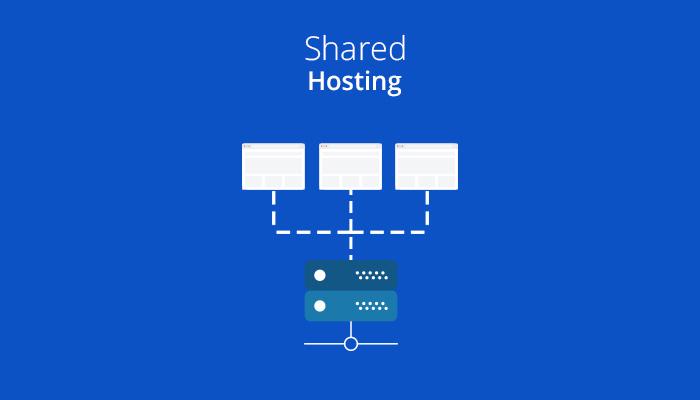
Shared hosting is a popular choice for individuals and small businesses looking to establish an online presence without breaking the bank. In this environment, multiple websites coexist on a single server, which means that resources such as CPU, RAM, and bandwidth are shared among all users. This arrangement can be highly cost-effective, but it also necessitates a firm understanding of how resources are allocated and how to manage them effectively. Resource allocation typically involves dividing server capabilities into manageable units, allowing each website to function smoothly while sharing the underlying hardware. Users must be aware of their allocated space to avoid exceeding limits, which can lead to performance issues.
Effective resource management in shared hosting means that site owners need to monitor their website’s usage regularly. Tools provided by hosting companies often include usage dashboards that display bandwidth, storage, and resource consumption in real-time. To help users better understand the dynamics at play, we’ve compiled a simple comparison of typical resource limits in shared hosting plans:
| Resource | Basic Plan | Advanced Plan |
|---|---|---|
| Disk Space | 10 GB | 50 GB |
| Bandwidth | 100 GB/month | Unlimited |
| CPU Usage | 1 Core | 2 Cores |
| RAM Allocation | 512 MB | 1 GB |
Understanding these limits can help users tailor their usage to fit within the allocated resources, ensuring optimal performance without overloading the shared environment. By keeping an eye on resource usage and upgrading plans when needed, users can maintain a healthy web presence that meets growing demands.
Key Factors Influencing Resource Allocation in Shared Hosting
Understanding how resources are allocated in shared hosting environments is essential for both providers and users. Server Load is a primary factor that dictates how resources are distributed among accounts. High-traffic websites may consume more CPU and memory, affecting performance for all users on the server. Providers often implement a system of quotas to maintain balance, ensuring that one site does not monopolize server resources. Additionally, resource limits, including disk space and bandwidth, play a critical role, requiring careful monitoring to avoid server strain and maintain optimal performance.
Another significant influence is technological advancements in virtualization and containerization. These tools allow hosting companies to optimize resource allocation dynamically based on current demand patterns. Furthermore, user behavior is pivotal; websites that experience bursts of traffic will temporarily demand more resources, pushing providers to adapt or risk service quality. load balancing techniques that distribute incoming traffic effectively among servers are crucial for ensuring equitable resource usage, leading to a smoother user experience across the board.
Tips for Optimizing Your Website on Shared Hosting Plans
When utilizing shared hosting plans, it’s crucial to maximize your site’s performance while staying within resource limitations. One effective strategy is to optimize your images. Large images can significantly slow down page loading times, leading to a poor user experience. Use tools like ImageOptim or TinyPNG to compress your images without compromising quality. Additionally, leverage browser caching by configuring the appropriate HTTP headers. This allows returning visitors to load your pages more quickly, which is essential for retaining users and improving SEO.
Another critical aspect of enhancing your website’s performance on shared hosting is to minimize the use of plugins. While plugins can extend functionality, excessive use can drain server resources, slowing down your site. Focus on keeping only the essential plugins, and consider lightweight alternatives that serve similar purposes. Furthermore, regularly update your plugins and themes to ensure they are optimized and free of vulnerabilities. The table below summarizes some lightweight plugin alternatives:
| Functionality | Lightweight Alternative |
|---|---|
| SEO Optimization | Yoast SEO Lite |
| Contact Forms | Contact Form 7 |
| Caching | WP Super Cache |
| Image Optimization | ShortPixel Image Optimizer |
Assessing Performance: When to Consider Upgrading from Shared Hosting
When your website begins to experience noticeable slowdowns, frequent crashes, or loading times that go beyond a few seconds, it’s a clear signal that shared hosting might no longer meet your performance needs. This situation typically arises if you have experienced significant traffic spikes or if you’ve added features that demand more resources. Consider identifying the following signs that indicate it’s time for an upgrade:
- Increased Traffic: If your website attracts consistent traffic, shared hosting may limit performance.
- Loading Speed Issues: Long loading times lead to higher bounce rates and potential loss of visitors.
- Inconsistent Uptime: Shared environments can lead to downtime during peak usage times due to resource limitations.
In addition to performance issues, security becomes a pressing concern with shared hosting. Multiple sites residing on the same server can become vulnerable if one site is compromised. If your website handles sensitive transactions or user data, it’s crucial to prioritize security. Evaluate these factors to ensure your site remains secure and efficient:
| Factor | Description |
|---|---|
| Security Risks | Shared servers can easily expose your site to vulnerabilities. |
| Dedicated Resources | Upgrading can ensure you have fixed resources allocated to your site. |
| Scalability | Higher tier hosting plans accommodate growth without performance loss. |
Future Outlook
understanding shared hosting and its resource allocation is essential for anyone looking to launch a website, whether you’re a budding entrepreneur or a seasoned developer. By demystifying the intricacies of shared hosting, we aim to equip you with the knowledge to make informed decisions that align with your website’s needs.
Remember, while shared hosting offers an affordable entry point into the world of web hosting, it’s crucial to evaluate your resource requirements and potential growth trajectory. As you navigate the myriad of options available, consider factors such as server performance, uptime reliability, and customer support.
With the right shared hosting plan, you can provide a solid foundation for your online presence while balancing cost and functionality. As you move forward in your hosting journey, keep these insights in mind, and rest assured that you have the capability to harness the power of shared resources effectively.
Thank you for taking the time to read our article. We hope it serves as a valuable resource as you venture into the exciting realm of shared hosting. Happy hosting!